 oks-ui
Sign-in screen
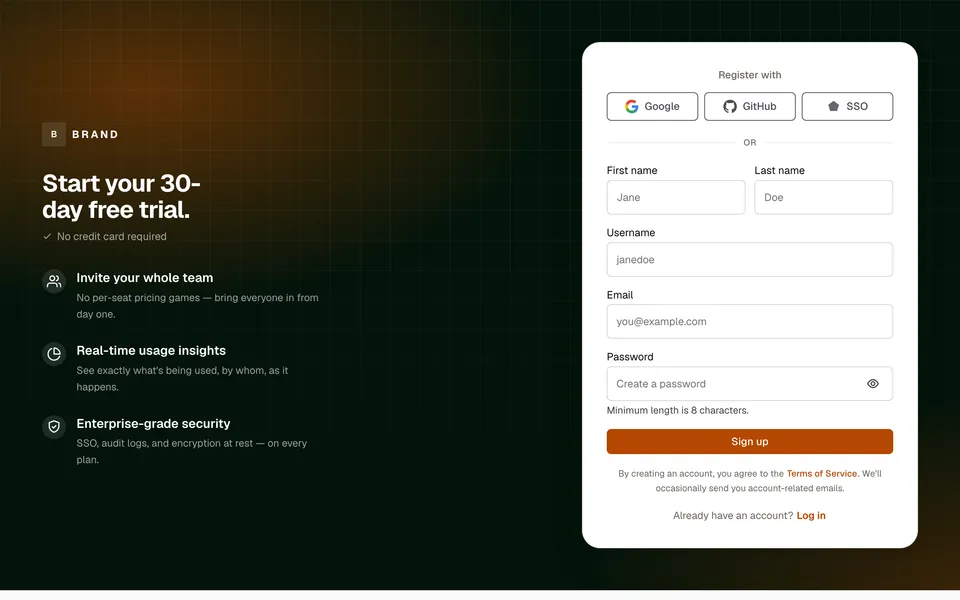
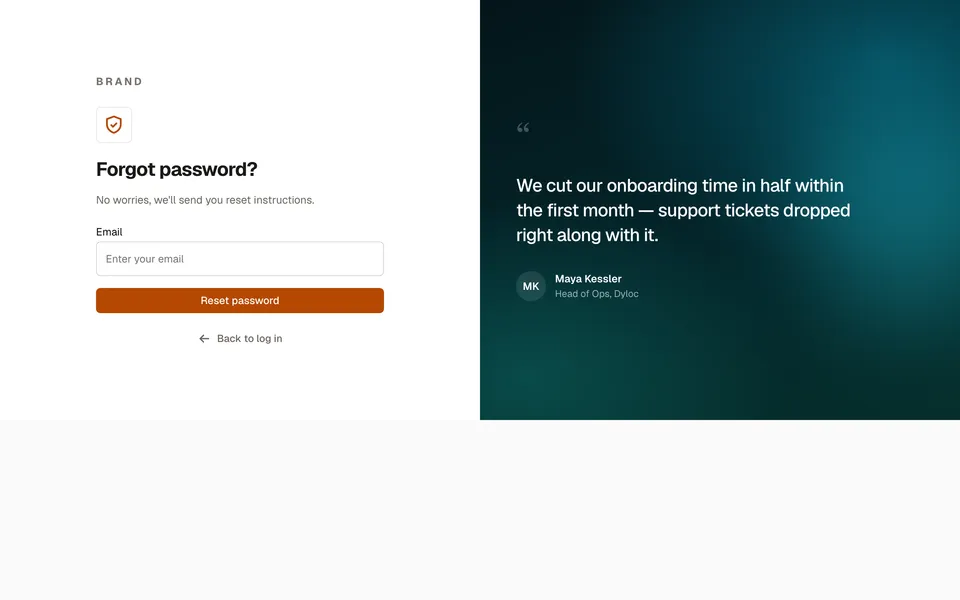
A premium two-column auth screen: an editorial brand panel with a feature highlight card on one side, a complete email/password form with Google SSO, remember-me, and forgot-password on the other. FormFieldSet handles the field types and validation; Form collects the values on submit — no form library.
sign-in.tsx
Built with
- Form / FormFieldSetComponent
- Password FieldComponent
- CheckboxComponent
- ButtonComponent
- AvatarComponent
- Page TitleComponent
How it’s built
- 01The layout uses a container query (
@containeron the outer wrapper,@2xl:grid-cols-2) so it stays a genuine split-screen even scaled down inside a card, and gracefully collapses to a single column below that width — the brand panel hides entirely on narrow screens, leaving just the form. - 02The outer wrapper carries no border, radius, or shadow of its own — when this pattern is shown inside a mock-browser frame (like this preview), that frame IS the container; a second rounded card floating inside it would just be a frame-in-a-frame. Drop the wrapper's own chrome when embedding this in a real page too, unless you want a literal floating card.
- 03
@2xl:min-h-[640px]gives the split real presence instead of a short strip — applied only at the breakpoint where the two columns actually appear, so the mobile single-column view isn't forced to an arbitrary height it doesn't need. - 04
whitespace-nowrapon "Forgot password" stops it wrapping to two lines next to the checkbox at in-between widths — small fixed-width text sitting beside a flexible one is exactly where accidental wraps happen. - 05
validation={{ rules: { required: true, email: true } }}wires up inline errors andaria-invalid— nothing else to do.type="password"gets a reveal toggle for free. - 06Standalone
Checkbox(imported fromoks-ui/form-field-set, not part of aFormFieldSetgroup) takes alabelprop — passing children instead spreads them onto the underlying<input>and breaks it. - 07The brand panel's feature card fills what would otherwise be dead vertical space between the logo and the headline — an empty gradient reads as unfinished, not premium.
- 08Each feature-list icon is a real
Avatar, and "Welcome back" is a realPageTitle— not raw spans/headings. The feature icons sit on the dark brand panel, so they're tinted through theclassNamesslot instead ofcolor, since that panel is outside oks-ui'sdata-theme-scoped theme system; "Welcome back" sits on the genuinely light form panel, soPageTitleneeds no such workaround. - 09
PageTitle's own.oksPageTitlewrapper isdisplay: inline-flexwith no set direction — built for a compact icon+title(+short subtitle) sitting in one row, not the classic stacked "big heading, paragraph below" layout this pattern (and most page headers) actually want. PassclassNames={{ base: "flex-col items-start" }}to stack the title above the subtitle instead of beside it. - 10The "Sign in with Google" button is a real oks-ui
ButtonwithstartContent— the multi-colour G mark is just an inline SVG, the same as any other icon slot. - 11"Forgot password", "Sign up", and the dark panel's headline are real oks-ui components too — not raw
<a>/<h1>tags.Buttonis polymorphic: passhref(with notype) and it renders as an<a>automatically, sovariant="link"plus ano-underlineoverride gives a proper accessible, keyboard-focusable text link instead of hand-rolled anchor styling.
Source
Two files · copy & pasteStyling: this source uses Tailwind utility classes and this site’s colour tokens (for example text-ink, bg-paper and border-line). The oks-ui components render without them; swap those classes for your own.
import { Avatar } from "oks-ui/avatar";
import { Button } from "oks-ui/button";
import { Checkbox, Form, FormFieldSet } from "oks-ui/form-field-set";
import { PageTitle } from "oks-ui/page-title";
import { CheckIcon, ShieldIcon, ZapIcon } from "./icons";
// A small, standard multi-colour "G" mark for the SSO button — not
// reproducing any photo or illustration, just the ubiquitous service icon
// every "Sign in with Google" button uses.
const GoogleIcon = () => {
return (
<svg width="18" height="18" viewBox="0 0 18 18" aria-hidden="true">
<path
fill="#4285F4"
d="M17.64 9.2c0-.64-.06-1.25-.16-1.84H9v3.48h4.84c-.21 1.13-.85 2.09-1.81 2.73v2.26h2.92c1.71-1.57 2.69-3.88 2.69-6.63z"
/>
<path
fill="#34A853"
d="M9 18c2.43 0 4.47-.8 5.96-2.18l-2.92-2.26c-.81.54-1.84.87-3.04.87-2.34 0-4.32-1.58-5.03-3.71H.96v2.33C2.44 15.98 5.48 18 9 18z"
/>
<path
fill="#FBBC05"
d="M3.97 10.72c-.18-.54-.28-1.12-.28-1.72s.1-1.18.28-1.72V4.95H.96A8.99 8.99 0 0 0 0 9c0 1.45.35 2.83.96 4.05l3.01-2.33z"
/>
<path
fill="#EA4335"
d="M9 3.58c1.32 0 2.51.45 3.44 1.35l2.59-2.59C13.46.89 11.43 0 9 0 5.48 0 2.44 2.02.96 4.95l3.01 2.33C4.68 5.16 6.66 3.58 9 3.58z"
/>
</svg>
);
};
const features = [
{ icon: <ZapIcon size={16} />, text: "Real-time sync across every device" },
{ icon: <ShieldIcon size={16} />, text: "Enterprise-grade encryption by default" },
{ icon: <CheckIcon size={16} />, text: "Pick up your last session instantly" },
];
const SignIn = () => {
return (
<div className="@container w-full bg-paper-raised">
<div className="grid @2xl:min-h-[640px] @2xl:grid-cols-2">
{/* visual panel — original abstract art, not a stock photo */}
<div className="relative hidden flex-col overflow-hidden bg-[#04151a] p-9 @2xl:flex">
<div
aria-hidden="true"
className="absolute inset-0"
style={{
background:
"radial-gradient(120% 90% at 15% 10%, color-mix(in oklab, #0f766e 55%, transparent) 0%, transparent 55%), " +
"radial-gradient(90% 70% at 90% 85%, color-mix(in oklab, #0891b2 45%, transparent) 0%, transparent 60%), " +
"linear-gradient(160deg, #04151a 0%, #04262b 55%, #062f2c 100%)",
}}
/>
<div
aria-hidden="true"
className="absolute -left-24 top-1/3 h-72 w-72 rounded-full opacity-40 blur-3xl"
style={{ background: "#14b8a6" }}
/>
<div
aria-hidden="true"
className="absolute -right-16 bottom-0 h-64 w-64 rounded-full opacity-30 blur-3xl"
style={{ background: "#22d3ee" }}
/>
<div className="relative z-10 flex h-full flex-col justify-between gap-10">
<span className="text-sm font-bold uppercase tracking-[0.2em] text-white">
Brand
</span>
{/* glass card filling the middle of the panel */}
<div className="rounded-[var(--r-lg)] border border-white/15 bg-white/[0.06] p-5 backdrop-blur-sm">
<p className="text-[0.7rem] font-semibold uppercase tracking-[0.14em] text-white/50">
Why teams switch
</p>
<ul className="mt-4 flex flex-col gap-3.5">
{features.map((f) => (
<li key={f.text} className="flex items-center gap-3 text-white">
<Avatar
icon={f.icon as never}
radius="full"
size="sm"
classNames={{ base: "bg-white/10", icon: "text-[#5eead4]" }}
/>
<span className="text-[0.9rem] leading-snug">{f.text}</span>
</li>
))}
</ul>
</div>
<PageTitle
as="h1"
title="Pick up right where you left off."
subtitle="Sign in to sync your projects, resume your last session, and keep every device in step — everything's exactly where you left it."
classNames={{
base: "flex-col items-start gap-4",
title: "text-[2rem] font-bold leading-[1.1] tracking-tight text-white",
subtitle: "mt-0 max-w-sm text-sm leading-relaxed text-white/70",
}}
/>
</div>
</div>
{/* form panel — fills its half edge to edge; the content inside is
capped to a comfortable reading width and centred, so fields
don't stretch absurdly wide on a large screen. */}
<div className="flex flex-col justify-center p-8 @2xl:p-12">
<div className="mx-auto flex w-full max-w-md flex-col gap-6">
<PageTitle
as="h2"
title="Welcome back"
subtitle="Welcome back! Please enter your details."
classNames={{
base: "flex-col items-start",
title: "text-[1.6rem] font-bold tracking-tight text-ink",
subtitle: "mt-1.5 text-[0.9rem] text-ink-muted",
}}
/>
<Form onSubmit={(data) => console.log(data)} className="flex flex-col gap-4">
<FormFieldSet
type="email"
name="email"
label="Email"
placeholder="Enter your email"
validation={{ rules: { required: true, email: true } }}
/>
<FormFieldSet
type="password"
name="password"
label="Password"
placeholder="Enter your password"
validation={{ rules: { required: true, minLength: 8 } }}
/>
<div className="flex items-center justify-between gap-3">
<Checkbox name="remember" label="Remember me" />
<Button
href="#forgot-password"
onClick={(e) => e.preventDefault()}
variant="link"
size="sm"
className="h-auto shrink-0 whitespace-nowrap p-0 text-[0.85rem] font-medium text-accent no-underline"
>
Forgot password
</Button>
</div>
<Button type="submit" color="primary" fullWidth>
Sign in
</Button>
<Button variant="bordered" fullWidth startContent={<GoogleIcon />}>
Sign in with Google
</Button>
</Form>
<p className="text-center text-[0.85rem] text-ink-muted">
Don’t have an account?{" "}
<Button
href="#sign-up"
onClick={(e) => e.preventDefault()}
variant="link"
size="sm"
className="h-auto p-0 align-baseline text-[0.85rem] font-semibold text-accent no-underline"
>
Sign up
</Button>
</p>
</div>
</div>
</div>
</div>
);
};
export default SignIn;It imports ./icons, so save this next to it:
export const CheckIcon = ({ size = 18 }: { size?: number }) => {
  return (
    <svg
      width={size}
      height={size}
      viewBox="0 0 24 24"
      fill="none"
      stroke="currentColor"
      strokeWidth={2}
      strokeLinecap="round"
      strokeLinejoin="round"
      aria-hidden="true"
    >
      <path d="M5 13l4 4L19 7" />
    </svg>
  );
};

export const ShieldIcon = ({ size = 18 }: { size?: number }) => {
  return (
    <svg
      width={size}
      height={size}
      viewBox="0 0 24 24"
      fill="none"
      stroke="currentColor"
      strokeWidth={2}
      strokeLinecap="round"
      strokeLinejoin="round"
      aria-hidden="true"
    >
      <path d="M12 2 4 5v6c0 5 3.5 8.5 8 10 4.5-1.5 8-5 8-10V5l-8-3Z" />
      <path d="m9 12 2 2 4-4" />
    </svg>
  );
};

export const ZapIcon = ({ size = 18 }: { size?: number }) => {
  return (
    <svg
      width={size}
      height={size}
      viewBox="0 0 24 24"
      fill="none"
      stroke="currentColor"
      strokeWidth={2}
      strokeLinecap="round"
      strokeLinejoin="round"
      aria-hidden="true"
    >
      <path d="M13 2 3 14h9l-1 8 10-12h-9z" />
    </svg>
  );
};