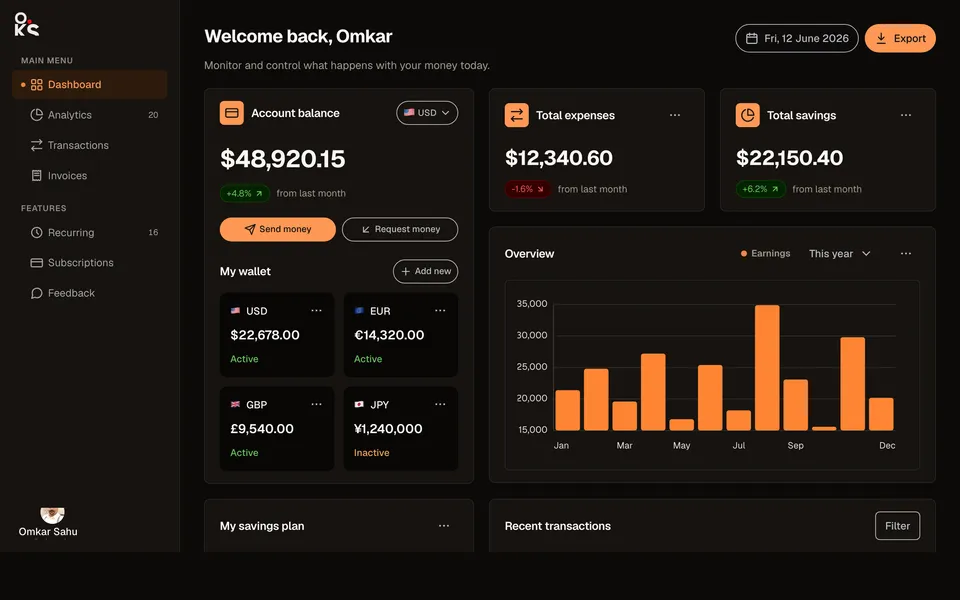
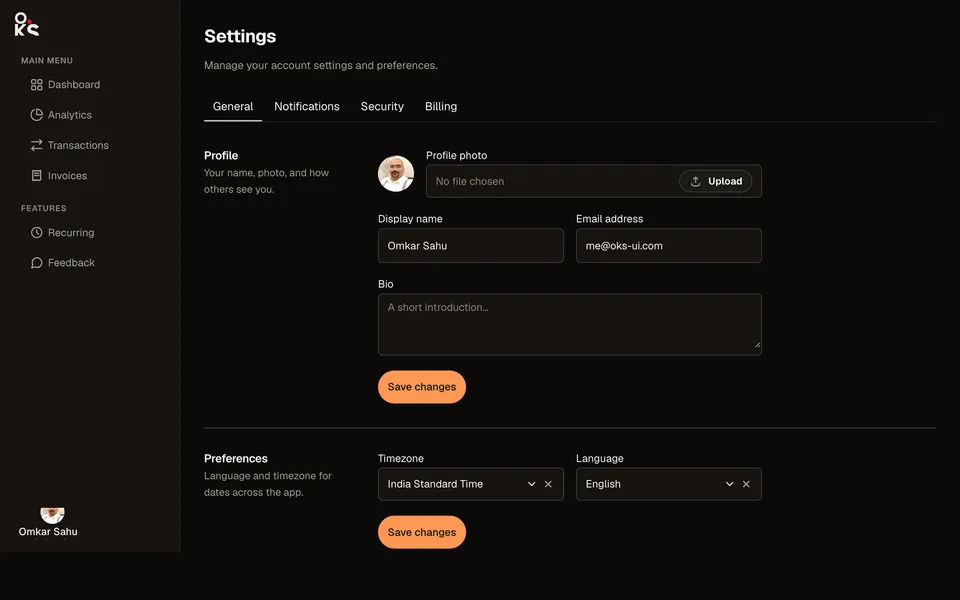
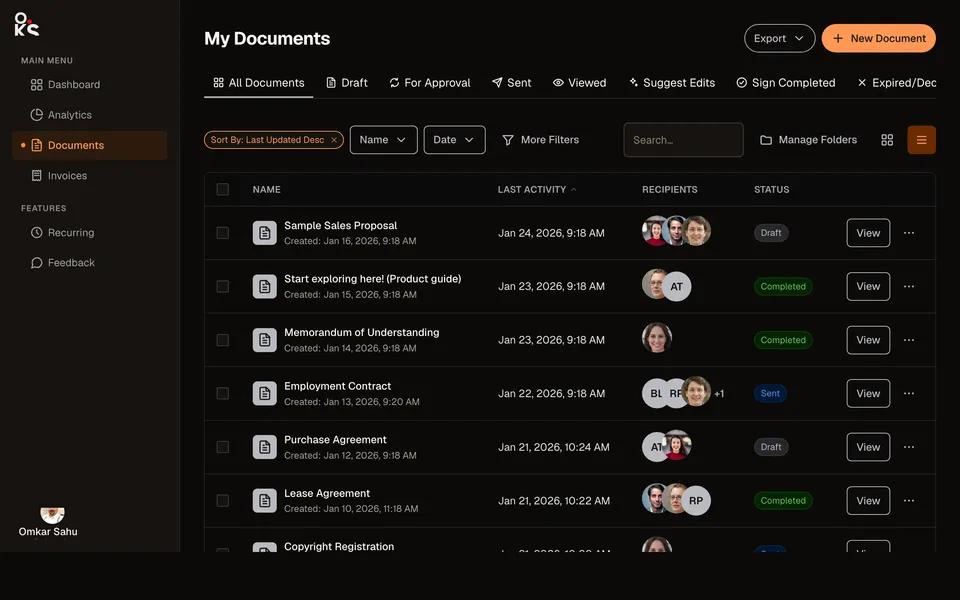
 oks-ui
Kanban board
A task board done as a real app screen: the same persistent sidebar/header shell as the other App screens patterns, a project header (avatars, invite, activity) with Date range/Members/Priority filter Dropdowns, and a Board whose cards carry a priority Chip, a read-only subtask checklist, an AvatarGroup, and comment/attachment counts. Pointer, touch, and keyboard drag all work.
Built with
- BoardComponent
- CardComponent
- ChipComponent
- AvatarComponent
- DropdownComponent
- NavComponent
- ButtonComponent
- Page TitleComponent
How it’s built
- 01onItemMove reports
{ itemId, to: { columnId, index } }— update your own state from it; Board never mutates your data. - 02The subtask checklist on each card is a read-only completion indicator (a plain styled
<span>, not the realCheckbox) — the card itself isrole="button"for Board's keyboard drag-and-drop, and any element with an interactive role nested inside it is a structural conflict (axe'snested-interactive) that a negativetabindexdoesn't fix, since some assistive tech still reaches such controls through their own navigation. Real per-subtask toggling belongs in an expanded card-detail view, not the collapsed card face. - 03
renderColumnHeadergets(column, { count })— the live card count per column comes from Board itself, not from counting your own items array. - 04Every pick-up, move, and drop is announced through a live region for keyboard and screen-reader users.
- 05The sidebar and header are the same bounded-height app shell as analytics-dashboard:
overflow-hiddenon the outer wrapper, independent scroll on the sidebar,shrink-0on the header, so only the board area scrolls — sideways across columns and down within one, exactly like a real board. - 06Don't add
overflow-x-autoon the div wrappingBoard—Boardalready scrolls itself horizontally, and setting onlyoverflow-xmakes a browser computeoverflow-yasautotoo (the CSS rule for when one axis isvisibleand the other isn't), turning that wrapper into a second, redundant scroll boundary between each column's list and the page.
Source
Three files · copy & pasteStyling: this source uses Tailwind utility classes and this site’s colour tokens (for example text-ink, bg-paper and border-line). The oks-ui components render without them; swap those classes for your own.
"use client";

import { useState } from "react";
import { Avatar, AvatarGroup } from "oks-ui/avatar";
import { Board } from "oks-ui/board";
import type { BoardColumnData } from "oks-ui/board";
import { Button } from "oks-ui/button";
import { Card, CardBody } from "oks-ui/card";
import { Chip } from "oks-ui/chip";
import { Dropdown, DropdownItem, DropdownMenu, DropdownTrigger } from "oks-ui/dropdown";
import { FormFieldSet } from "oks-ui/form-field-set";
import type { NavItemData } from "oks-ui/nav";
import { PageTitle } from "oks-ui/page-title";
import "oks-ui/avatar.css";
import "oks-ui/board.css";
import "oks-ui/button.css";
import "oks-ui/card.css";
import "oks-ui/chip.css";
import "oks-ui/dropdown.css";
import "oks-ui/form-field-set.css";
import "oks-ui/page-title.css";
import { AppShell } from "./AppShell";
import {
  ArrowsRightLeftIcon,
  ChevronDownIcon,
  ClockIcon,
  GridIcon,
  HelpCircleIcon,
  MailIcon,
  MessageCircleIcon,
  PieChartIcon,
  PlusIcon,
  ReceiptIcon,
  SearchIcon,
  ZapIcon,
} from "./icons";

// A simple pencil — "edit project name".
const PencilIcon = ({ size = 14 }: { size?: number }) => {
  return (
    <svg width={size} height={size} viewBox="0 0 16 16" fill="none" stroke="currentColor" strokeWidth="1.4" strokeLinecap="round" strokeLinejoin="round" aria-hidden="true">
      <path d="M11 2.5 13.5 5 5 13.5H2.5V11Z" />
    </svg>
  );
};

// A paperclip — attachment counts on a card.
const PaperclipIcon = ({ size = 13 }: { size?: number }) => {
  return (
    <svg width={size} height={size} viewBox="0 0 16 16" fill="none" stroke="currentColor" strokeWidth="1.3" strokeLinecap="round" strokeLinejoin="round" aria-hidden="true">
      <path d="M11 4.5 6 9.5a2 2 0 1 0 2.8 2.8l4.5-4.5a3.5 3.5 0 1 0-5-5L3.8 7.3" />
    </svg>
  );
};

const NAV_ITEMS: NavItemData[] = [
  {
    key: "main",
    label: "Main menu",
    isSection: true,
    children: [
      { key: "dashboard", label: "Dashboard", icon: <GridIcon size={18} /> },
      { key: "analytics", label: "Analytics", icon: <PieChartIcon size={18} /> },
      { key: "boards", label: "Boards", icon: <ArrowsRightLeftIcon size={18} /> },
      { key: "invoices", label: "Invoices", icon: <ReceiptIcon size={18} /> },
    ],
  },
  {
    key: "features",
    label: "Features",
    isSection: true,
    children: [
      { key: "recurring", label: "Time records", icon: <ClockIcon size={18} /> },
      { key: "feedback", label: "Feedback", icon: <MessageCircleIcon size={18} /> },
    ],
  },
];

type Priority = "High" | "Medium" | "Low";

type Task = {
  id: string;
  title: string;
  column: string;
  priority: Priority;
  assignees: string[];
  subtasks?: { label: string; done: boolean }[];
  comments?: number;
  attachments?: number;
};

// Real photos for the three named teammates — two of the site's existing
// stock-free portrait assets plus an AI-synthesized (non-real-person) face,
// the same pool used in the data-table-view pattern's recipients.
const ASSIGNEE_PHOTOS: Record<string, string> = {
  "Ava Moreno": "/hero/person-woman.jpg",
  "Nick Robins": "/hero/person-man.jpg",
  "Ken Tanaka": "/avatars/synthetic-1.jpg",
};

const priorityTone: Record<Priority, "danger" | "warning" | "info"> = {
  High: "danger",
  Medium: "warning",
  Low: "info",
};

const initialTasks: Task[] = [
  { id: "1", title: "Create landing page variations for portfolio website", column: "todo", priority: "High", assignees: ["Ava Moreno", "Ken Tanaka"], subtasks: [{ label: "Upload to Dropbox", done: true }, { label: "Share to email", done: false }], comments: 4, attachments: 2 },
  { id: "2", title: "Build rough prototype", column: "todo", priority: "Medium", assignees: ["Ava Moreno"], comments: 2 },
  { id: "3", title: "Responsiveness of gallery page", column: "todo", priority: "Low", assignees: ["Ava Moreno", "Nick Robins", "Ken Tanaka"], comments: 1, attachments: 1 },
  { id: "4", title: "Draft the client kickoff email", column: "todo", priority: "Medium", assignees: ["Nick Robins"] },
  { id: "5", title: "Create userflow", column: "inprogress", priority: "High", assignees: ["Ava Moreno"] },
  { id: "6", title: "Something that'll be worked on currently", column: "inprogress", priority: "High", assignees: ["Ava Moreno"], subtasks: [{ label: "Wireframe review", done: true }, { label: "Share in Slack", done: false }, { label: "Client sign-off", done: false }] },
  { id: "7", title: "Create moodboard", column: "inreview", priority: "High", assignees: ["Ava Moreno", "Ken Tanaka"], comments: 1, attachments: 1 },
  { id: "8", title: "This task is under review", column: "inreview", priority: "High", assignees: ["Ava Moreno"], comments: 3 },
  { id: "9", title: "Create userflow", column: "inreview", priority: "Medium", assignees: ["Ava Moreno", "Nick Robins"], comments: 1, attachments: 1 },
  { id: "10", title: "Portfolio website requirements meeting", column: "done", priority: "High", assignees: ["Ava Moreno", "Nick Robins", "Ken Tanaka"], comments: 3, attachments: 7 },
  { id: "11", title: "Responsiveness of gallery page", column: "done", priority: "Low", assignees: ["Ava Moreno"], comments: 8 },
];

const COLUMNS: BoardColumnData[] = [
  { id: "todo", title: "To do" },
  { id: "inprogress", title: "In progress" },
  { id: "inreview", title: "In review" },
  { id: "done", title: "Done" },
];

const ColumnMenu = () => {
  return (
    <Dropdown placement="bottom-end">
      <DropdownTrigger>
        <Button isIconOnly aria-label="Column options" variant="ghost" radius="full" size="xs">
          <ChevronDownIcon size={14} />
        </Button>
      </DropdownTrigger>
      <DropdownMenu aria-label="Column options">
        <DropdownItem key="rename">Rename column</DropdownItem>
        <DropdownItem key="limit">Set WIP limit</DropdownItem>
        <DropdownItem key="clear" classNames={{ title: "text-[color:var(--oks-color-danger-700)]" }}>
          Clear column
        </DropdownItem>
      </DropdownMenu>
    </Dropdown>
  );
};

const KanbanBoard = () => {
  const [tasks, setTasks] = useState(initialTasks);

  return (
    <AppShell
      navItems={NAV_ITEMS}
      selectedNavKey="boards"
      headerLeft={
        <FormFieldSet
          type="search"
          name="search"
          label="Search"
          placeholder="Search tasks…"
          startIcon={<SearchIcon size={16} />}
          classNames={{ base: "w-full max-w-xs", label: "sr-only", control: "border-transparent bg-paper-sunken" }}
        />
      }
      headerExtra={
        <>
          <Button isIconOnly aria-label="Help" variant="ghost" radius="full" size="sm">
            <HelpCircleIcon size={18} />
          </Button>
          <Button isIconOnly aria-label="Messages" variant="ghost" radius="full" size="sm">
            <MailIcon size={18} />
          </Button>
        </>
      }
      contentClassName="flex flex-1 flex-col gap-4 overflow-hidden p-5 @3xl:p-8"
    >
      <div className="flex shrink-0 flex-wrap items-center justify-between gap-3">
        <div className="flex items-center gap-2">
          <PageTitle
            as="h2"
            title="Project A"
            classNames={{ base: "flex-col items-start", title: "text-xl font-bold tracking-tight text-ink" }}
          />
          <Button isIconOnly aria-label="Rename project" variant="ghost" size="xs">
            <PencilIcon />
          </Button>
        </div>
        <div className="flex items-center gap-2">
          <AvatarGroup max={3}>
            <Avatar src={ASSIGNEE_PHOTOS["Ava Moreno"]} name="Ava Moreno" size="sm" radius="full" />
            <Avatar src={ASSIGNEE_PHOTOS["Nick Robins"]} name="Nick Robins" size="sm" radius="full" />
            <Avatar src={ASSIGNEE_PHOTOS["Ken Tanaka"]} name="Ken Tanaka" size="sm" radius="full" />
          </AvatarGroup>
          <Button isIconOnly aria-label="Invite member" variant="bordered" radius="full" size="sm">
            <PlusIcon size={14} />
          </Button>
          <Button variant="bordered" radius="full" size="sm" startContent={<ZapIcon size={14} />}>
            Activity
          </Button>
        </div>
      </div>

      <div className="flex shrink-0 flex-wrap items-center gap-2">
        <Dropdown placement="bottom-start">
          <DropdownTrigger>
            <Button variant="bordered" size="sm" endContent={<ChevronDownIcon size={14} />}>
              Date range
            </Button>
          </DropdownTrigger>
          <DropdownMenu aria-label="Date range">
            <DropdownItem key="week">This week</DropdownItem>
            <DropdownItem key="month">This month</DropdownItem>
            <DropdownItem key="quarter">This quarter</DropdownItem>
          </DropdownMenu>
        </Dropdown>
        <Dropdown placement="bottom-start">
          <DropdownTrigger>
            <Button variant="bordered" size="sm" endContent={<ChevronDownIcon size={14} />}>
              Members
            </Button>
          </DropdownTrigger>
          <DropdownMenu aria-label="Filter by member" selectionMode="multiple">
            <DropdownItem key="ava">Ava Moreno</DropdownItem>
            <DropdownItem key="nick">Nick Robins</DropdownItem>
            <DropdownItem key="ken">Ken Tanaka</DropdownItem>
          </DropdownMenu>
        </Dropdown>
        <Dropdown placement="bottom-start">
          <DropdownTrigger>
            <Button variant="bordered" size="sm" endContent={<ChevronDownIcon size={14} />}>
              Priority
            </Button>
          </DropdownTrigger>
          <DropdownMenu aria-label="Filter by priority" selectionMode="multiple">
            <DropdownItem key="high">High</DropdownItem>
            <DropdownItem key="medium">Medium</DropdownItem>
            <DropdownItem key="low">Low</DropdownItem>
          </DropdownMenu>
        </Dropdown>
      </div>

      {/* No overflow-x-auto here — Board already scrolls itself
          horizontally. Adding it on this wrapper too triggers a real
          CSS quirk: setting only overflow-x makes the browser compute
          overflow-y as auto as well (the "one axis visible, one not"
          rule), turning this div into a second, redundant scroll
          boundary sitting between each column's own list and the
          page — which is exactly what made column scrolling flaky. */}
      <div className="min-h-0 flex-1">
        <Board<Task>
          aria-label="Project A board"
          columns={COLUMNS}
          items={tasks}
          columnWidth={252}
          getItemId={(t) => t.id}
          getItemColumn={(t) => t.column}
          onItemMove={({ itemId, to }) =>
            setTasks((prev) => {
              const moved = prev.find((t) => t.id === itemId);
              if (!moved) return prev;
              const without = prev.filter((t) => t.id !== itemId);
              const inTarget = without.filter((t) => t.column === to.columnId);
              const rest = without.filter((t) => t.column !== to.columnId);
              inTarget.splice(to.index, 0, { ...moved, column: to.columnId });
              return [...rest, ...inTarget];
            })
          }
          renderColumnHeader={(column, { count }) => (
            <div className="flex w-full items-center justify-between">
              <span className="text-[0.8rem] font-semibold uppercase tracking-wide text-ink-muted">
                {column.title} <span className="text-ink-muted">({count})</span>
              </span>
              <div className="flex items-center gap-0.5">
                <ColumnMenu />
                <Button isIconOnly aria-label={`Add task to ${column.title}`} variant="ghost" size="xs">
                  <PlusIcon size={14} />
                </Button>
              </div>
            </div>
          )}
          renderCard={(t) => (
            <Card shadow="xs" isHoverable>
              <CardBody className="flex flex-col gap-2.5 p-3">
                <Chip size="sm" variant="soft" color={priorityTone[t.priority]} classNames={{ base: "self-start" }}>
                  {t.priority.toUpperCase()}
                </Chip>
                <p className="text-[0.85rem] font-medium leading-snug text-ink">{t.title}</p>

                {t.subtasks ? (
                  <div className="flex flex-col gap-1.5">
                    <p className="text-[0.68rem] font-semibold uppercase tracking-wide text-ink-faint">
                      Subtasks {t.subtasks.filter((s) => s.done).length}/{t.subtasks.length}
                    </p>
                    {/* A real <Checkbox> here -- any element carrying an
                        interactive role -- nested inside the card (itself
                        role="button" for Board's keyboard drag-and-drop) is a
                        structural nested-interactive conflict axe flags
                        regardless of tabindex: some assistive tech still
                        reaches negative-tabindex controls through their own
                        navigation. This card face is a preview, not a form,
                        so each subtask is a read-only completion indicator --
                        matches the "Subtasks N/M" count already above it. */}
                    {t.subtasks.map((s) => (
                      <div key={s.label} className="flex items-center gap-2">
                        <span
                          aria-hidden="true"
                          className={`flex h-3.5 w-3.5 shrink-0 items-center justify-center rounded-[3px] border ${s.done ? "border-accent bg-accent text-white" : "border-line"}`}
                        >
                          {s.done ? (
                            <svg viewBox="0 0 12 10" fill="none" className="h-2.5 w-2.5">
                              <path d="M1 5l3 3 7-7" stroke="currentColor" strokeWidth="2" strokeLinecap="round" strokeLinejoin="round" />
                            </svg>
                          ) : null}
                        </span>
                        <span className={`text-[0.8rem] ${s.done ? "text-ink-faint line-through" : "text-ink-soft"}`}>
                          <span className="sr-only">{s.done ? "Done: " : "Not done: "}</span>
                          {s.label}
                        </span>
                      </div>
                    ))}
                  </div>
                ) : null}

                <div className="mt-1 flex items-center justify-between">
                  <AvatarGroup max={3}>
                    {t.assignees.map((name) => (
                      <Avatar key={name} src={ASSIGNEE_PHOTOS[name]} name={name} size="xs" radius="full" />
                    ))}
                  </AvatarGroup>
                  {t.attachments || t.comments ? (
                    <div className="flex items-center gap-2.5 text-[0.75rem] text-ink-faint">
                      {t.attachments ? (
                        <span className="flex items-center gap-1">
                          <PaperclipIcon /> {t.attachments}
                        </span>
                      ) : null}
                      {t.comments ? (
                        <span className="flex items-center gap-1">
                          <MessageCircleIcon size={13} /> {t.comments}
                        </span>
                      ) : null}
                    </div>
                  ) : null}
                </div>
              </CardBody>
            </Card>
          )}
        />
      </div>
    </AppShell>
  );
};

export default KanbanBoard;
It imports ./icons, so save this next to it:
export const ArrowsRightLeftIcon = ({ size = 18 }: { size?: number }) => {
  return (
    <svg
      width={size}
      height={size}
      viewBox="0 0 24 24"
      fill="none"
      stroke="currentColor"
      strokeWidth={2}
      strokeLinecap="round"
      strokeLinejoin="round"
      aria-hidden="true"
    >
      <path d="m17 2 4 4-4 4" />
      <path d="M3 6h18" />
      <path d="m7 22-4-4 4-4" />
      <path d="M21 18H3" />
    </svg>
  );
};

export const ChevronDownIcon = ({ size = 18 }: { size?: number }) => {
  return (
    <svg
      width={size}
      height={size}
      viewBox="0 0 24 24"
      fill="none"
      stroke="currentColor"
      strokeWidth={2}
      strokeLinecap="round"
      strokeLinejoin="round"
      aria-hidden="true"
    >
      <path d="m6 9 6 6 6-6" />
    </svg>
  );
};

export const ClockIcon = ({ size = 18 }: { size?: number }) => {
  return (
    <svg
      width={size}
      height={size}
      viewBox="0 0 24 24"
      fill="none"
      stroke="currentColor"
      strokeWidth={2}
      strokeLinecap="round"
      strokeLinejoin="round"
      aria-hidden="true"
    >
      <circle cx="12" cy="12" r="9" />
      <path d="M12 7v5l3 3" />
    </svg>
  );
};

export const GridIcon = ({ size = 18 }: { size?: number }) => {
  return (
    <svg
      width={size}
      height={size}
      viewBox="0 0 24 24"
      fill="none"
      stroke="currentColor"
      strokeWidth={2}
      strokeLinecap="round"
      strokeLinejoin="round"
      aria-hidden="true"
    >
      <rect x="3" y="3" width="7" height="7" rx="1.5" />
      <rect x="14" y="3" width="7" height="7" rx="1.5" />
      <rect x="3" y="14" width="7" height="7" rx="1.5" />
      <rect x="14" y="14" width="7" height="7" rx="1.5" />
    </svg>
  );
};

export const HelpCircleIcon = ({ size = 18 }: { size?: number }) => {
  return (
    <svg
      width={size}
      height={size}
      viewBox="0 0 24 24"
      fill="none"
      stroke="currentColor"
      strokeWidth={2}
      strokeLinecap="round"
      strokeLinejoin="round"
      aria-hidden="true"
    >
      <circle cx="12" cy="12" r="9" />
      <path d="M9.5 9a2.5 2.5 0 0 1 4.8 1c0 1.5-2.3 1.8-2.3 3.5" />
      <path d="M12 17.5h.01" />
    </svg>
  );
};

// Icons below this line were added for Horizon's rebuild into a business
// back-office (Finance/Accounts/HR and Payroll/Peoples/Contracts) --
// same "no icon library dependency" convention as everything above.

export const MailIcon = ({ size = 18 }: { size?: number }) => {
  return (
    <svg
      width={size}
      height={size}
      viewBox="0 0 24 24"
      fill="none"
      stroke="currentColor"
      strokeWidth={2}
      strokeLinecap="round"
      strokeLinejoin="round"
      aria-hidden="true"
    >
      <rect x="2" y="4" width="20" height="16" rx="2" />
      <path d="m2 7 10 6 10-6" />
    </svg>
  );
};

export const MessageCircleIcon = ({ size = 18 }: { size?: number }) => {
  return (
    <svg
      width={size}
      height={size}
      viewBox="0 0 24 24"
      fill="none"
      stroke="currentColor"
      strokeWidth={2}
      strokeLinecap="round"
      strokeLinejoin="round"
      aria-hidden="true"
    >
      <path d="M21 11.5a8.38 8.38 0 0 1-.9 3.8 8.5 8.5 0 0 1-7.6 4.7 8.38 8.38 0 0 1-3.8-.9L3 21l1.9-5.7a8.38 8.38 0 0 1-.9-3.8 8.5 8.5 0 0 1 4.7-7.6 8.38 8.38 0 0 1 3.8-.9h.5a8.48 8.48 0 0 1 8 8v.5Z" />
    </svg>
  );
};

export const PieChartIcon = ({ size = 18 }: { size?: number }) => {
  return (
    <svg
      width={size}
      height={size}
      viewBox="0 0 24 24"
      fill="none"
      stroke="currentColor"
      strokeWidth={2}
      strokeLinecap="round"
      strokeLinejoin="round"
      aria-hidden="true"
    >
      <path d="M21.21 15.89A10 10 0 1 1 8 2.83" />
      <path d="M22 12A10 10 0 0 0 12 2v10z" />
    </svg>
  );
};

export const PlusIcon = ({ size = 18 }: { size?: number }) => {
  return (
    <svg
      width={size}
      height={size}
      viewBox="0 0 24 24"
      fill="none"
      stroke="currentColor"
      strokeWidth={2}
      strokeLinecap="round"
      strokeLinejoin="round"
      aria-hidden="true"
    >
      <path d="M12 5v14M5 12h14" />
    </svg>
  );
};

export const ReceiptIcon = ({ size = 18 }: { size?: number }) => {
  return (
    <svg
      width={size}
      height={size}
      viewBox="0 0 24 24"
      fill="none"
      stroke="currentColor"
      strokeWidth={2}
      strokeLinecap="round"
      strokeLinejoin="round"
      aria-hidden="true"
    >
      <path d="M5 3v18l2-1.5L9 21l2-1.5L13 21l2-1.5L17 21l2-1.5V3l-2 1.5L15 3l-2 1.5L11 3 9 4.5 7 3 5 4.5Z" />
      <path d="M8 8h8M8 12h8" />
    </svg>
  );
};

export const SearchIcon = ({ size = 18 }: { size?: number }) => {
  return (
    <svg
      width={size}
      height={size}
      viewBox="0 0 24 24"
      fill="none"
      stroke="currentColor"
      strokeWidth={2}
      strokeLinecap="round"
      strokeLinejoin="round"
      aria-hidden="true"
    >
      <circle cx="11" cy="11" r="7" />
      <path d="M21 21l-4.3-4.3" />
    </svg>
  );
};

export const ZapIcon = ({ size = 18 }: { size?: number }) => {
  return (
    <svg
      width={size}
      height={size}
      viewBox="0 0 24 24"
      fill="none"
      stroke="currentColor"
      strokeWidth={2}
      strokeLinecap="round"
      strokeLinejoin="round"
      aria-hidden="true"
    >
      <path d="M13 2 3 14h9l-1 8 10-12h-9z" />
    </svg>
  );
};

export const BellIcon = ({ size = 18 }: { size?: number }) => {
  return (
    <svg
      width={size}
      height={size}
      viewBox="0 0 24 24"
      fill="none"
      stroke="currentColor"
      strokeWidth={2}
      strokeLinecap="round"
      strokeLinejoin="round"
      aria-hidden="true"
    >
      <path d="M6 8a6 6 0 0 1 12 0c0 4 1.5 5.5 2 6H4c.5-.5 2-2 2-6Z" />
      <path d="M10 20a2 2 0 0 0 4 0" />
    </svg>
  );
};

export const SettingsIcon = ({ size = 18 }: { size?: number }) => {
  return (
    <svg
      width={size}
      height={size}
      viewBox="0 0 24 24"
      fill="none"
      stroke="currentColor"
      strokeWidth={2}
      strokeLinecap="round"
      strokeLinejoin="round"
      aria-hidden="true"
    >
      <circle cx="12" cy="12" r="3" />
      <path d="M19.4 15a1.65 1.65 0 0 0 .33 1.82l.06.06a2 2 0 1 1-2.83 2.83l-.06-.06a1.65 1.65 0 0 0-1.82-.33 1.65 1.65 0 0 0-1 1.51V21a2 2 0 0 1-4 0v-.09a1.65 1.65 0 0 0-1.08-1.51 1.65 1.65 0 0 0-1.82.33l-.06.06a2 2 0 1 1-2.83-2.83l.06-.06a1.65 1.65 0 0 0 .33-1.82 1.65 1.65 0 0 0-1.51-1H3a2 2 0 0 1 0-4h.09a1.65 1.65 0 0 0 1.51-1.08 1.65 1.65 0 0 0-.33-1.82l-.06-.06a2 2 0 1 1 2.83-2.83l.06.06a1.65 1.65 0 0 0 1.82.33H9a1.65 1.65 0 0 0 1-1.51V3a2 2 0 0 1 4 0v.09a1.65 1.65 0 0 0 1 1.51 1.65 1.65 0 0 0 1.82-.33l.06-.06a2 2 0 1 1 2.83 2.83l-.06.06a1.65 1.65 0 0 0-.33 1.82V9c.26.42.7.7 1.19.83l.32.08c.6.15 1 .68 1 1.3v0" />
    </svg>
  );
};
It imports ./AppShell, so save this next to it:
"use client";

import { useState, type ReactNode } from "react";
import { Avatar } from "oks-ui/avatar";
import { Button } from "oks-ui/button";
import { Dropdown, DropdownItem, DropdownMenu, DropdownTrigger } from "oks-ui/dropdown";
import { FormFieldSet } from "oks-ui/form-field-set";
import { Nav } from "oks-ui/nav";
import type { NavItemData } from "oks-ui/nav";
import "oks-ui/avatar.css";
import "oks-ui/button.css";
import "oks-ui/dropdown.css";
import "oks-ui/form-field-set.css";
import "oks-ui/nav.css";
import { BellIcon, HelpCircleIcon, SearchIcon, SettingsIcon } from "./icons";

// Two overlapping chevrons — a standard "collapse sidebar" glyph, not a
// reproduction of any specific icon set's artwork.
const CollapseIcon = () => {
  return (
    <svg width="16" height="16" viewBox="0 0 16 16" fill="none" stroke="currentColor" strokeWidth="1.6" strokeLinecap="round" aria-hidden="true">
      <path d="M6 3 2 8l4 5" />
      <path d="M12 3 8 8l4 5" />
    </svg>
  );
};

const LogOutIcon = ({ size = 16 }: { size?: number }) => {
  return (
    <svg width={size} height={size} viewBox="0 0 16 16" fill="none" stroke="currentColor" strokeWidth="1.5" strokeLinecap="round" strokeLinejoin="round" aria-hidden="true">
      <path d="M6 14H3.5a1 1 0 0 1-1-1V3a1 1 0 0 1 1-1H6" />
      <path d="M10.5 11 14 8l-3.5-3" />
      <path d="M14 8H6" />
    </svg>
  );
};

export type AppShellProps = {
  /** The sidebar tree — differs per pattern to match its app context (a Kanban tool's nav reads differently from an invoicing tool's). */
  navItems: NavItemData[];
  /** Omitted when the pattern being shown isn't one of the permanent nav rows (e.g. a Settings page reached from the account menu, not the sidebar itself). */
  selectedNavKey?: string;
  /** Lets a pattern make its own Nav row genuinely clickable (analytics-dashboard highlights whichever item — or account-menu action — was clicked last) instead of a fixed selectedNavKey. */
  onSelectedNavKeyChange?: (key: string) => void;
  /** Left side of the header, after the collapse toggle. Defaults to a plain search field; command-palette-shell overrides this with its ⌘K trigger button instead. */
  headerLeft?: ReactNode;
  /** Right side of the header, after the standard bell. Defaults to nothing extra. */
  headerExtra?: ReactNode;
  /** The scrollable main content (everything below the header). */
  children: ReactNode;
  /** Extra classes for the scrollable content wrapper — e.g. to drop the default padding for a pattern that wants edge-to-edge content. */
  contentClassName?: string;
};

/**
 * The one persistent sidebar/header app shell every "App screens" pattern on
 * this site shares. Pulled out of each individual pattern file after the
 * per-file copies drifted (one ended up with a different account name than
 * the rest) — the account identity (Omkar Sahu) and the structural chrome
 * (collapse toggle, Nav wiring, account Dropdown, bell) now live in exactly
 * one place, while each pattern still supplies its own contextual nav items
 * and can override the header's search slot when it needs to (the command
 * palette trigger, for instance).
 */
export const AppShell = ({
  navItems,
  selectedNavKey,
  onSelectedNavKeyChange,
  headerLeft,
  headerExtra,
  children,
  contentClassName,
}: AppShellProps) => {
  const [collapsed, setCollapsed] = useState(false);

  return (
    // @container has to live on its OWN wrapper, not the element whose
    // height is conditioned by @3xl: — an element can't query its own
    // container for its own styling (circular per the CSS Containment
    // spec), so @3xl:h-[46rem] would silently be evaluated against the
    // wrong (ancestor) container and never apply.
    <div className="@container w-full">
      <div className="flex h-[32rem] w-full overflow-hidden bg-paper @3xl:h-[46rem]">
        <aside
          role="none"
          className={`hidden h-full shrink-0 flex-col gap-6 overflow-y-auto overflow-x-hidden border-r border-line bg-paper-raised p-4 @3xl:flex ${collapsed ? "w-[4.5rem]" : "w-60"}`}
        >
          <div className="flex items-center px-1">
            {/* Two files, swapped by theme — logo.svg carries dark ink and would
                vanish against the dark sidebar. eslint-disable: fixed static
                assets already sized for this slot; next/image's runtime cost
                isn't worth it here. */}
            {/* eslint-disable-next-line @next/next/no-img-element */}
            <img src="/logo.svg" alt="oks-ui" className="oks-logo-for-light h-8 w-8 shrink-0" />
            {/* eslint-disable-next-line @next/next/no-img-element */}
            <img src="/logo-light.svg" alt="oks-ui" className="oks-logo-for-dark h-8 w-8 shrink-0" />
          </div>

          <Nav
            aria-label="Main"
            items={navItems}
            selectedKey={selectedNavKey}
            onItemSelect={onSelectedNavKeyChange ? (item) => onSelectedNavKeyChange(item.key) : undefined}
            isCollapsed={collapsed}
            classNames={{ base: "w-full", sectionTitle: collapsed ? "sr-only" : undefined }}
            renderItem={({ isActive, content, props }) => (
              <button type="button" {...props} className={`${props.className} flex items-center gap-1.5`}>
                {!collapsed ? (
                  <span
                    aria-hidden="true"
                    className="h-1.5 w-1.5 shrink-0 rounded-full"
                    style={{ background: isActive ? "var(--oks-color-primary-600)" : "transparent" }}
                  />
                ) : null}
                {content}
              </button>
            )}
          />

          <Dropdown placement="top-start" className="mt-auto w-full" classNames={{ content: "block w-full" }}>
            <DropdownTrigger>
              <Button
                variant="ghost"
                fullWidth
                className={`gap-2.5 p-2 ${collapsed ? "justify-center" : "justify-start"}`}
              >
                <Avatar src="/avatar-omkar.jpg" name="Omkar Sahu" size="sm" radius="full" />
                {!collapsed ? (
                  <span className="min-w-0 flex-1 text-left">
                    <span className="block truncate text-[0.85rem] font-medium text-ink">Omkar Sahu</span>
                    <span className="block truncate text-[0.75rem] text-ink-muted">me@oks-ui.com</span>
                  </span>
                ) : null}
              </Button>
            </DropdownTrigger>
            <DropdownMenu
              aria-label="Account menu"
              onAction={onSelectedNavKeyChange ? (key) => onSelectedNavKeyChange(String(key)) : undefined}
            >
              <DropdownItem key="settings" startContent={<SettingsIcon size={16} />}>
                Settings
              </DropdownItem>
              <DropdownItem key="help" startContent={<HelpCircleIcon size={16} />} showDivider>
                Help desk
              </DropdownItem>
              <DropdownItem key="logout" startContent={<LogOutIcon size={16} />} classNames={{ title: "text-[color:var(--oks-color-danger-700)]" }}>
                Log out
              </DropdownItem>
            </DropdownMenu>
          </Dropdown>
        </aside>

        <div className="flex min-w-0 flex-1 flex-col overflow-hidden">
          <header className="flex shrink-0 flex-wrap items-center justify-between gap-3 border-b border-line px-5 py-3.5 @3xl:px-8">
            <div className="flex min-w-0 flex-1 items-center gap-3">
              <Button
                isIconOnly
                variant="ghost"
                size="sm"
                onClick={() => setCollapsed((c) => !c)}
                aria-label={collapsed ? "Expand sidebar" : "Collapse sidebar"}
                className="hidden @3xl:flex"
              >
                <CollapseIcon />
              </Button>
              {headerLeft ?? (
                <FormFieldSet
                  type="search"
                  name="headerSearch"
                  label="Search"
                  placeholder="Search"
                  startIcon={<SearchIcon size={16} />}
                  classNames={{ base: "w-full max-w-xs", label: "sr-only", control: "border-transparent bg-paper-sunken" }}
                />
              )}
            </div>
            <div className="flex items-center gap-3">
              {headerExtra}
              <Button isIconOnly aria-label="Notifications" variant="ghost" radius="full" size="sm" className="relative">
                <BellIcon size={18} />
                <span aria-hidden="true" className="absolute right-2 top-2 h-1.5 w-1.5 rounded-full" style={{ background: "var(--oks-color-danger-500)" }} />
              </Button>
              <Avatar src="/avatar-omkar.jpg" name="Omkar Sahu" size="sm" radius="full" />
            </div>
          </header>

          <div className={contentClassName ?? "flex flex-1 flex-col gap-5 overflow-y-auto p-5 @3xl:p-8"}>{children}</div>
        </div>
      </div>
    </div>
  );
};
More patterns
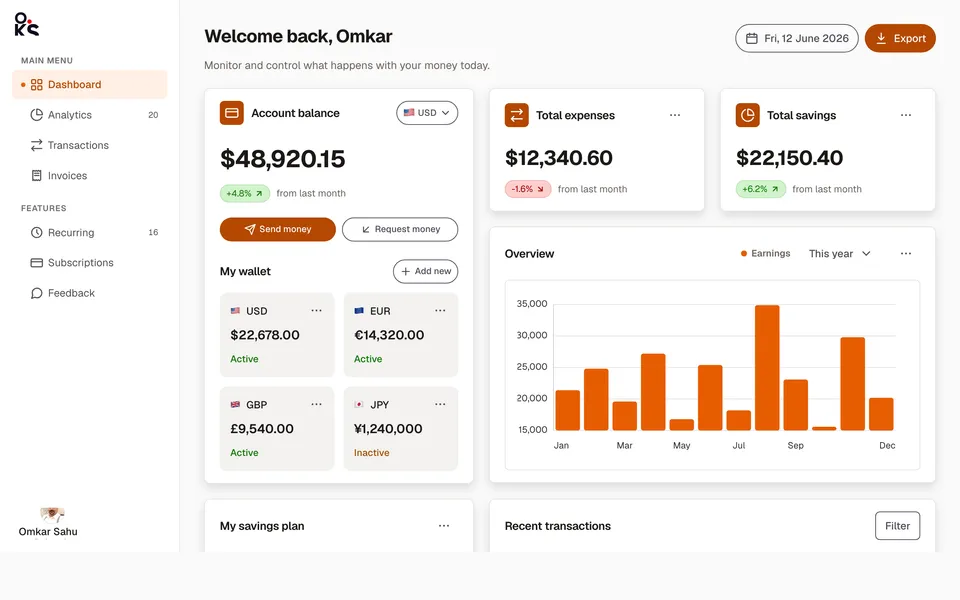
Analytics dashboardApp screens
A full fintech app screen — collapsible sidebar, header search, wallet cards, an earnings chart, savings goals, and a transactions table.
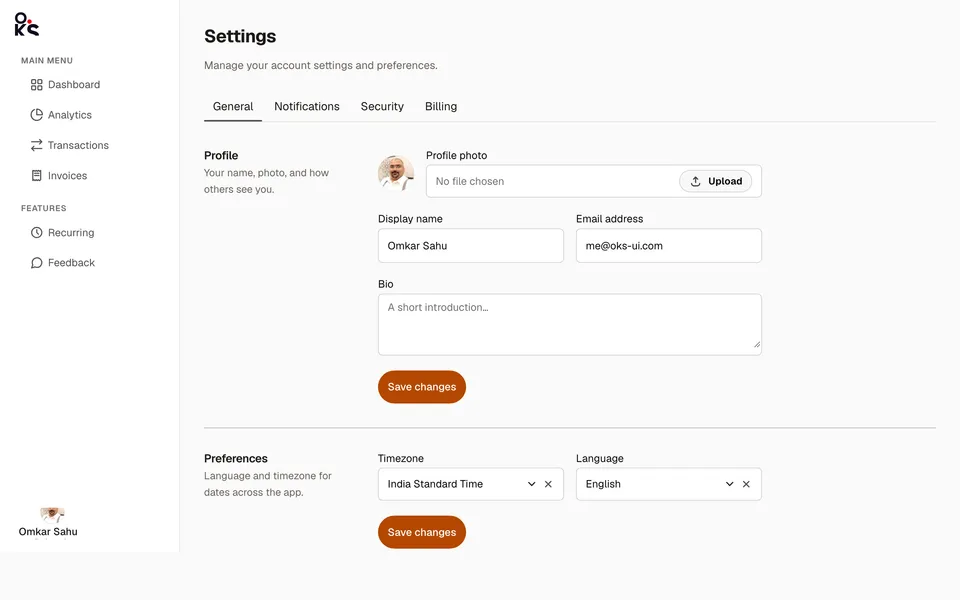
Settings panelApp screens
A real settings screen — top tabs, two-column sections, and a sortable, selectable billing history table.
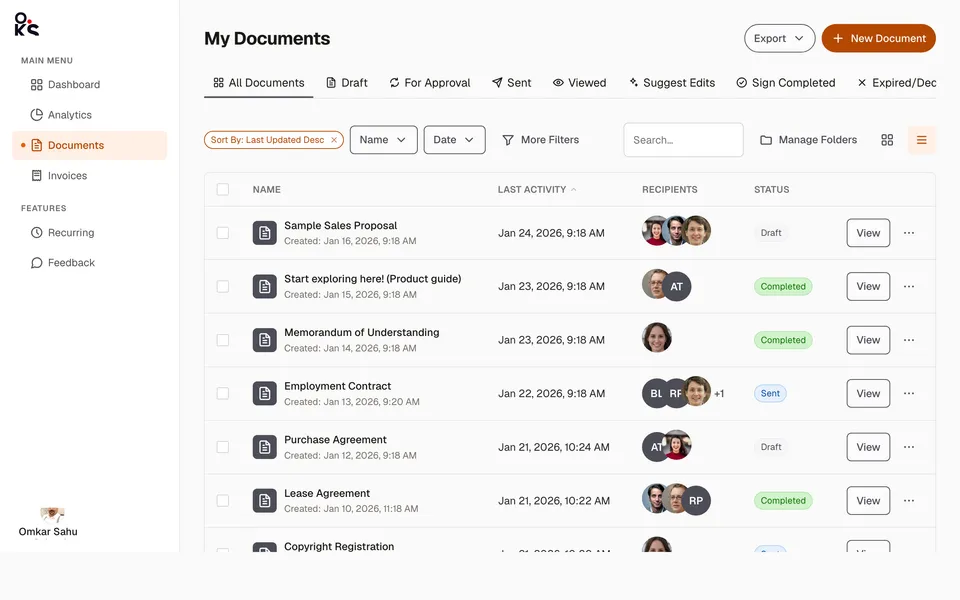
Data table viewApp screens
A full documents list screen — status Tabs, a filter toolbar, and a sortable, selectable Table with real recipient avatars.