 oks-ui
Settings panel
The settings screen pattern, done the way real SaaS settings pages are actually built: horizontal Tabs across the top, each panel made of stacked two-column sections — a short label and description on the left, real FormFieldSet-driven controls on the right — separated by a Divider. Billing ends in a genuine sortable, multi-select Table for invoice history, not a static list.
Built with
- TabsComponent
- TableComponent
- Form / FormFieldSetComponent
- Switch FieldComponent
- Select FieldComponent
- Password FieldComponent
- File FieldComponent
- Radio FieldComponent
- NavComponent
- DropdownComponent
- ChipComponent
- DividerComponent
- AvatarComponent
- ButtonComponent
- Page TitleComponent
How it’s built
- 01Every section follows the same shape — a
SettingsSectionhelper renders a short label + description on the left (@2xl:grid-cols-[13rem_1fr]) and the real controls on the right, the layout Stripe- and Vercel-style settings pages use instead of a single long column of fields. - 02Billing history is a genuine
Table, not a styled list:selectionMode="multiple"for the row checkboxes,sortable: trueper column for the built-in client-side sort (nosortDescriptor/onSortChangeneeded for that), and a sharedRowMenuDropdown for the per-row kebab. - 03The "Send to the existing email" radio option is one
RadioOptionwhoselabelis a two-lineReactNode(bold line + muted email below) —RadioOptiononly haslabel/value, no separate description field, so a composite label is the real way to get that look. - 04Confirm-password uses the built-in
matchFieldvalidation rule (validation={{ rules: { matchField: "password" } }}) instead of a hand-rolled equality check. - 05Notifications default state comes from
Form'sinitialValues, notdefaultCheckedon each switch — inside a Form, switches are value-driven like any other field. - 06The sidebar and header are the same bounded-height app shell as analytics-dashboard:
overflow-hiddenon the outer wrapper, independent scroll on the sidebar,shrink-0on the header, so only the settings content itself scrolls — and every direct child of that scrollable body (including this Tabs block) carriesshrink-0too, or a flex child's defaultflex-shrink: 1would silently compress it to fit instead of letting it overflow.
Source
Three files · copy & pasteStyling: this source uses Tailwind utility classes and this site’s colour tokens (for example text-ink, bg-paper and border-line). The oks-ui components render without them; swap those classes for your own.
import { type ReactNode, useState } from "react";
import { Avatar } from "oks-ui/avatar";
import { Button } from "oks-ui/button";
import { Chip } from "oks-ui/chip";
import { Divider } from "oks-ui/divider";
import { Dropdown, DropdownItem, DropdownMenu, DropdownTrigger } from "oks-ui/dropdown";
import { Form, FormFieldSet } from "oks-ui/form-field-set";
import type { NavItemData } from "oks-ui/nav";
import { PageTitle } from "oks-ui/page-title";
import { Table } from "oks-ui/table";
import { Tab, Tabs } from "oks-ui/tabs";
import { AppShell } from "./AppShell";
import {
ArrowsRightLeftIcon,
ClockIcon,
CreditCardIcon,
GridIcon,
HelpCircleIcon,
MailIcon,
MessageCircleIcon,
MoreIcon,
PieChartIcon,
PlusIcon,
ReceiptIcon,
SearchIcon,
TrashIcon,
} from "./icons";
const NAV_ITEMS: NavItemData[] = [
{
key: "main",
label: "Main menu",
isSection: true,
children: [
{ key: "dashboard", label: "Dashboard", icon: <GridIcon size={18} /> },
{ key: "analytics", label: "Analytics", icon: <PieChartIcon size={18} /> },
{ key: "transactions", label: "Transactions", icon: <ArrowsRightLeftIcon size={18} /> },
{ key: "invoices", label: "Invoices", icon: <ReceiptIcon size={18} /> },
],
},
{
key: "features",
label: "Features",
isSection: true,
children: [
{ key: "recurring", label: "Recurring", icon: <ClockIcon size={18} /> },
{ key: "feedback", label: "Feedback", icon: <MessageCircleIcon size={18} /> },
],
},
// Settings / Help desk / Log out live in the account menu at the bottom
// of the sidebar (opened from the profile footer), not as permanent nav
// rows — this page is reached from there, so nothing here is "active".
];
type InvoiceRow = {
id: string;
description: string;
date: string;
amount: string;
status: "Paid" | "Pending" | "Failed";
} & Record<string, unknown>;
const invoices: InvoiceRow[] = [
{ id: "INV-0042", description: "Pro plan — June", date: "Jun 1, 2026", amount: "$49.00", status: "Paid" },
{ id: "INV-0031", description: "Pro plan — May", date: "May 1, 2026", amount: "$49.00", status: "Paid" },
{ id: "INV-0025", description: "2 additional seats", date: "Apr 18, 2026", amount: "$18.00", status: "Pending" },
{ id: "INV-0020", description: "Pro plan — April", date: "Apr 1, 2026", amount: "$49.00", status: "Paid" },
{ id: "INV-0009", description: "Pro plan — March", date: "Mar 1, 2026", amount: "$49.00", status: "Failed" },
];
const statusTone: Record<InvoiceRow["status"], "success" | "warning" | "danger"> = {
Paid: "success",
Pending: "warning",
Failed: "danger",
};
// A shared kebab menu, reused on every invoice row.
const RowMenu = ({ label }: { label: string }) => {
return (
<Dropdown placement="bottom-end">
<DropdownTrigger>
<Button isIconOnly aria-label={label} variant="ghost" radius="full" size="sm">
<MoreIcon size={16} />
</Button>
</DropdownTrigger>
<DropdownMenu aria-label={label}>
<DropdownItem key="view">View invoice</DropdownItem>
<DropdownItem key="download">Download PDF</DropdownItem>
</DropdownMenu>
</Dropdown>
);
};
// The recurring shape of every settings section: a short label + description
// on the left, the actual controls on the right — the same layout Stripe,
// Vercel, and most real SaaS settings pages use, so a two-column section
// isn't just decorative here.
const SettingsSection = ({
title,
description,
children,
stacked = false,
}: {
title: string;
description: string;
children: ReactNode;
stacked?: boolean;
}) => {
return (
<div className={stacked ? "flex flex-col gap-5" : "grid gap-6 @2xl:grid-cols-[13rem_1fr]"}>
<div>
<h3 className="text-[0.95rem] font-semibold text-ink">{title}</h3>
<p className="mt-1 text-[0.85rem] text-ink-muted">{description}</p>
</div>
<div className="min-w-0">{children}</div>
</div>
);
};
const SettingsPanel = () => {
const [selected, setSelected] = useState<Set<string>>(new Set());
return (
<AppShell
navItems={NAV_ITEMS}
headerLeft={
<FormFieldSet
type="search"
name="search"
label="Search"
placeholder="Search"
startIcon={<SearchIcon size={16} />}
endIcon={
<span className="flex items-center gap-1" aria-hidden="true">
<kbd className="rounded-[var(--r-sm)] bg-paper px-1.5 py-0.5 text-[0.68rem] font-medium text-ink-faint">⌘</kbd>
<kbd className="rounded-[var(--r-sm)] bg-paper px-1.5 py-0.5 text-[0.68rem] font-medium text-ink-faint">K</kbd>
</span>
}
classNames={{ base: "w-full max-w-xs", label: "sr-only", control: "border-transparent bg-paper-sunken" }}
/>
}
headerExtra={
<>
<Button isIconOnly aria-label="Help" variant="ghost" radius="full" size="sm">
<HelpCircleIcon size={18} />
</Button>
<Button isIconOnly aria-label="Messages" variant="ghost" radius="full" size="sm">
<MailIcon size={18} />
</Button>
</>
}
contentClassName="flex flex-1 flex-col gap-6 overflow-y-auto p-5 @3xl:p-8"
>
<PageTitle
as="h2"
title="Settings"
subtitle="Manage your account settings and preferences."
classNames={{
base: "flex-col shrink-0 items-start",
title: "text-2xl font-bold tracking-tight text-ink",
subtitle: "text-[0.9rem] text-ink-muted",
}}
/>
{/* Horizontal Tabs across the top (the classic settings-page
layout), each panel built from stacked two-column sections —
label + description on the left, real controls on the right
— separated by a Divider, the same pattern Stripe/Vercel-style
settings pages use. shrink-0 keeps this block at its natural
height inside the flex-col scroll body — without it, a flex
child defaults to flex-shrink:1 and gets silently compressed
to fit instead of overflowing, so the parent's overflow-y-auto
never sees anything to scroll. */}
<div className="shrink-0">
<Tabs aria-label="Settings sections" variant="underlined" classNames={{ tabList: "overflow-x-auto" }}>
<Tab key="general" title="General">
<div className="flex flex-col gap-8 py-6">
<SettingsSection title="Profile" description="Your name, photo, and how others see you.">
<Form onSubmit={(data) => console.log(data)} className="flex max-w-lg flex-col gap-5">
<div className="flex items-center gap-4">
<Avatar src="/avatar-omkar.jpg" name="Omkar Sahu" size="lg" radius="full" />
<FormFieldSet type="file" name="avatar" label="Profile photo" accept="image/*" classNames={{ base: "flex-1" }} />
</div>
<div className="grid gap-4 @xl:grid-cols-2">
<FormFieldSet type="text" name="name" label="Display name" defaultValue="Omkar Sahu" />
<FormFieldSet type="email" name="email" label="Email address" defaultValue="me@oks-ui.com" />
</div>
<FormFieldSet type="textarea" name="bio" label="Bio" rows={3} placeholder="A short introduction…" />
<div>
<Button type="submit" color="primary" radius="full">
Save changes
</Button>
</div>
</Form>
</SettingsSection>
<Divider />
<SettingsSection title="Preferences" description="Language and timezone for dates across the app.">
<Form onSubmit={(data) => console.log(data)} className="flex max-w-lg flex-col gap-5">
<div className="grid gap-4 @xl:grid-cols-2">
<FormFieldSet
type="select"
name="timezone"
label="Timezone"
defaultValue="ist"
options={[
{ label: "India Standard Time", value: "ist" },
{ label: "UTC", value: "utc" },
{ label: "US / Pacific", value: "pt" },
{ label: "Europe / London", value: "lon" },
]}
/>
<FormFieldSet
type="select"
name="language"
label="Language"
defaultValue="en"
options={[
{ label: "English", value: "en" },
{ label: "Hindi", value: "hi" },
{ label: "Spanish", value: "es" },
]}
/>
</div>
<div>
<Button type="submit" color="primary" radius="full">
Save changes
</Button>
</div>
</Form>
</SettingsSection>
</div>
</Tab>
<Tab key="notifications" title="Notifications">
<div className="flex flex-col gap-8 py-6">
<Form
onSubmit={(data) => console.log(data)}
initialValues={{ product: true, security: true, mentions: true }}
>
<SettingsSection title="Email" description="What we send to your inbox.">
<div className="flex max-w-lg flex-col gap-4">
<FormFieldSet type="switch" name="product" label="Product updates" description="New features and improvements." />
<FormFieldSet type="switch" name="digest" label="Weekly digest" description="A summary of your account activity." />
<FormFieldSet type="switch" name="security" label="Security alerts" description="Sign-ins from a new device or location." />
</div>
</SettingsSection>
<Divider className="my-8" />
<SettingsSection title="Push" description="Real-time alerts on your devices.">
<div className="flex max-w-lg flex-col gap-4">
<FormFieldSet type="switch" name="mentions" label="Mentions" description="Someone mentions you in a comment." />
<FormFieldSet type="switch" name="messages" label="Direct messages" description="New messages land in your inbox." />
</div>
</SettingsSection>
<div className="mt-8">
<Button type="submit" color="primary" radius="full">
Save changes
</Button>
</div>
</Form>
</div>
</Tab>
<Tab key="security" title="Security">
<div className="flex flex-col gap-8 py-6">
<SettingsSection title="Password" description="Change the password used to sign in.">
<Form onSubmit={(data) => console.log(data)} className="flex max-w-lg flex-col gap-4">
<FormFieldSet type="password" name="currentPassword" label="Current password" validation={{ rules: { required: true } }} />
<div className="grid gap-4 @xl:grid-cols-2">
<FormFieldSet type="password" name="password" label="New password" validation={{ rules: { required: true, minLength: 8 } }} />
<FormFieldSet
type="password"
name="confirmPassword"
label="Confirm new password"
validation={{ rules: { required: true, matchField: "password" } }}
/>
</div>
<div>
<Button type="submit" color="primary" radius="full">
Update password
</Button>
</div>
</Form>
</SettingsSection>
<Divider />
<SettingsSection title="Two-factor authentication" description="Require a one-time code from your phone when signing in.">
<FormFieldSet type="switch" name="twoFactor" label="Enabled" />
</SettingsSection>
<Divider />
<SettingsSection title="Danger zone" description="Permanently remove your account and all of its data.">
<div className="flex flex-col gap-3 rounded-[var(--r-md)] border border-[color:var(--oks-color-danger-200)] bg-[color:var(--oks-color-danger-50)] p-4">
<p className="text-[0.85rem] text-[color:var(--oks-color-danger-700)]">
This can't be undone. All of your data will be permanently deleted.
</p>
<div>
<Button color="danger" variant="bordered" size="sm" startContent={<TrashIcon size={14} />}>
Delete account
</Button>
</div>
</div>
</SettingsSection>
</div>
</Tab>
<Tab key="billing" title="Billing">
<div className="flex flex-col gap-8 py-6">
<div>
<h3 className="text-[0.95rem] font-semibold text-ink">Payment method</h3>
<p className="mt-1 text-[0.85rem] text-ink-muted">Update your billing details and card on file.</p>
</div>
<Divider />
<SettingsSection title="Card details" description="Update your billing details and address.">
<div className="flex max-w-lg flex-col gap-5">
<Form onSubmit={(data) => console.log(data)} className="flex flex-col gap-4">
<div className="grid gap-4 @xl:grid-cols-2">
<FormFieldSet type="text" name="cardName" label="Name on card" defaultValue="Omkar Sahu" />
<FormFieldSet type="text" name="expiry" label="Expiry" placeholder="MM / YYYY" defaultValue="02 / 2028" />
</div>
<div className="grid gap-4 @xl:grid-cols-2">
<FormFieldSet
type="text"
name="cardNumber"
label="Card number"
defaultValue="4242 4242 4242 4242"
startIcon={<CreditCardIcon size={16} />}
/>
<FormFieldSet type="password" name="cvv" label="CVV" defaultValue="123" />
</div>
</Form>
<div>
<Button variant="bordered" radius="full" size="sm" startContent={<PlusIcon size={14} />}>
Add another card
</Button>
</div>
</div>
</SettingsSection>
<Divider />
<SettingsSection title="Contact email" description="Where should invoices be sent?">
<FormFieldSet
type="radio"
name="invoiceEmail"
label="Invoice recipient"
classNames={{ label: "sr-only" }}
defaultValue="existing"
options={[
{
value: "existing",
label: (
<span className="flex flex-col">
<span className="font-medium text-ink">Send to the existing email</span>
<span className="text-[0.8rem] text-ink-muted">me@oks-ui.com</span>
</span>
),
},
{ value: "new", label: <span className="font-medium text-ink">Add another email address</span> },
]}
/>
</SettingsSection>
<Divider />
<div className="flex flex-col gap-4">
<div>
<h3 className="text-[0.95rem] font-semibold text-ink">Billing history</h3>
<p className="mt-1 text-[0.85rem] text-ink-muted">See every transaction on your account.</p>
</div>
<Table
aria-label="Billing history"
selectionMode="multiple"
selectedKeys={selected}
onSelectionChange={(keys) => setSelected(keys as Set<string>)}
classNames={{ cell: "whitespace-nowrap" }}
columns={[
{ key: "description", header: "Invoice", sortable: true },
{ key: "date", header: "Date", sortable: true, sortValue: (r) => new Date(r.date) },
{ key: "amount", header: "Amount", sortable: true, align: "end" },
{
key: "status",
header: "Status",
render: (r) => (
<Chip size="sm" variant="soft" color={statusTone[r.status]}>
{r.status}
</Chip>
),
},
{
key: "actions",
header: "",
align: "end",
render: (r) => <RowMenu label={`${r.description} options`} />,
},
]}
rows={invoices}
getRowKey={(r) => r.id}
/>
</div>
</div>
</Tab>
</Tabs>
</div>
</AppShell>
);
};
export default SettingsPanel;It imports ./icons, so save this next to it:
export const ArrowsRightLeftIcon = ({ size = 18 }: { size?: number }) => {
  return (
    <svg
      width={size}
      height={size}
      viewBox="0 0 24 24"
      fill="none"
      stroke="currentColor"
      strokeWidth={2}
      strokeLinecap="round"
      strokeLinejoin="round"
      aria-hidden="true"
    >
      <path d="m17 2 4 4-4 4" />
      <path d="M3 6h18" />
      <path d="m7 22-4-4 4-4" />
      <path d="M21 18H3" />
    </svg>
  );
};

export const ClockIcon = ({ size = 18 }: { size?: number }) => {
  return (
    <svg
      width={size}
      height={size}
      viewBox="0 0 24 24"
      fill="none"
      stroke="currentColor"
      strokeWidth={2}
      strokeLinecap="round"
      strokeLinejoin="round"
      aria-hidden="true"
    >
      <circle cx="12" cy="12" r="9" />
      <path d="M12 7v5l3 3" />
    </svg>
  );
};

export const CreditCardIcon = ({ size = 18 }: { size?: number }) => {
  return (
    <svg
      width={size}
      height={size}
      viewBox="0 0 24 24"
      fill="none"
      stroke="currentColor"
      strokeWidth={2}
      strokeLinecap="round"
      strokeLinejoin="round"
      aria-hidden="true"
    >
      <rect x="2" y="5" width="20" height="14" rx="2" />
      <path d="M2 10h20" />
    </svg>
  );
};

export const GridIcon = ({ size = 18 }: { size?: number }) => {
  return (
    <svg
      width={size}
      height={size}
      viewBox="0 0 24 24"
      fill="none"
      stroke="currentColor"
      strokeWidth={2}
      strokeLinecap="round"
      strokeLinejoin="round"
      aria-hidden="true"
    >
      <rect x="3" y="3" width="7" height="7" rx="1.5" />
      <rect x="14" y="3" width="7" height="7" rx="1.5" />
      <rect x="3" y="14" width="7" height="7" rx="1.5" />
      <rect x="14" y="14" width="7" height="7" rx="1.5" />
    </svg>
  );
};

export const HelpCircleIcon = ({ size = 18 }: { size?: number }) => {
  return (
    <svg
      width={size}
      height={size}
      viewBox="0 0 24 24"
      fill="none"
      stroke="currentColor"
      strokeWidth={2}
      strokeLinecap="round"
      strokeLinejoin="round"
      aria-hidden="true"
    >
      <circle cx="12" cy="12" r="9" />
      <path d="M9.5 9a2.5 2.5 0 0 1 4.8 1c0 1.5-2.3 1.8-2.3 3.5" />
      <path d="M12 17.5h.01" />
    </svg>
  );
};

// Icons below this line were added for Horizon's rebuild into a business
// back-office (Finance/Accounts/HR and Payroll/Peoples/Contracts) --
// same "no icon library dependency" convention as everything above.

export const MailIcon = ({ size = 18 }: { size?: number }) => {
  return (
    <svg
      width={size}
      height={size}
      viewBox="0 0 24 24"
      fill="none"
      stroke="currentColor"
      strokeWidth={2}
      strokeLinecap="round"
      strokeLinejoin="round"
      aria-hidden="true"
    >
      <rect x="2" y="4" width="20" height="16" rx="2" />
      <path d="m2 7 10 6 10-6" />
    </svg>
  );
};

export const MessageCircleIcon = ({ size = 18 }: { size?: number }) => {
  return (
    <svg
      width={size}
      height={size}
      viewBox="0 0 24 24"
      fill="none"
      stroke="currentColor"
      strokeWidth={2}
      strokeLinecap="round"
      strokeLinejoin="round"
      aria-hidden="true"
    >
      <path d="M21 11.5a8.38 8.38 0 0 1-.9 3.8 8.5 8.5 0 0 1-7.6 4.7 8.38 8.38 0 0 1-3.8-.9L3 21l1.9-5.7a8.38 8.38 0 0 1-.9-3.8 8.5 8.5 0 0 1 4.7-7.6 8.38 8.38 0 0 1 3.8-.9h.5a8.48 8.48 0 0 1 8 8v.5Z" />
    </svg>
  );
};

export const MoreIcon = ({ size = 18 }: { size?: number }) => {
  return (
    <svg
      width={size}
      height={size}
      viewBox="0 0 24 24"
      fill="currentColor"
      aria-hidden="true"
    >
      <circle cx="5" cy="12" r="1.6" />
      <circle cx="12" cy="12" r="1.6" />
      <circle cx="19" cy="12" r="1.6" />
    </svg>
  );
};

export const PieChartIcon = ({ size = 18 }: { size?: number }) => {
  return (
    <svg
      width={size}
      height={size}
      viewBox="0 0 24 24"
      fill="none"
      stroke="currentColor"
      strokeWidth={2}
      strokeLinecap="round"
      strokeLinejoin="round"
      aria-hidden="true"
    >
      <path d="M21.21 15.89A10 10 0 1 1 8 2.83" />
      <path d="M22 12A10 10 0 0 0 12 2v10z" />
    </svg>
  );
};

export const PlusIcon = ({ size = 18 }: { size?: number }) => {
  return (
    <svg
      width={size}
      height={size}
      viewBox="0 0 24 24"
      fill="none"
      stroke="currentColor"
      strokeWidth={2}
      strokeLinecap="round"
      strokeLinejoin="round"
      aria-hidden="true"
    >
      <path d="M12 5v14M5 12h14" />
    </svg>
  );
};

export const ReceiptIcon = ({ size = 18 }: { size?: number }) => {
  return (
    <svg
      width={size}
      height={size}
      viewBox="0 0 24 24"
      fill="none"
      stroke="currentColor"
      strokeWidth={2}
      strokeLinecap="round"
      strokeLinejoin="round"
      aria-hidden="true"
    >
      <path d="M5 3v18l2-1.5L9 21l2-1.5L13 21l2-1.5L17 21l2-1.5V3l-2 1.5L15 3l-2 1.5L11 3 9 4.5 7 3 5 4.5Z" />
      <path d="M8 8h8M8 12h8" />
    </svg>
  );
};

export const SearchIcon = ({ size = 18 }: { size?: number }) => {
  return (
    <svg
      width={size}
      height={size}
      viewBox="0 0 24 24"
      fill="none"
      stroke="currentColor"
      strokeWidth={2}
      strokeLinecap="round"
      strokeLinejoin="round"
      aria-hidden="true"
    >
      <circle cx="11" cy="11" r="7" />
      <path d="M21 21l-4.3-4.3" />
    </svg>
  );
};

export const TrashIcon = ({ size = 18 }: { size?: number }) => {
  return (
    <svg
      width={size}
      height={size}
      viewBox="0 0 24 24"
      fill="none"
      stroke="currentColor"
      strokeWidth={2}
      strokeLinecap="round"
      strokeLinejoin="round"
      aria-hidden="true"
    >
      <path d="M3 6h18" />
      <path d="M8 6V4a1 1 0 0 1 1-1h6a1 1 0 0 1 1 1v2" />
      <path d="M6 6l1 14a2 2 0 0 0 2 2h6a2 2 0 0 0 2-2l1-14" />
    </svg>
  );
};

export const BellIcon = ({ size = 18 }: { size?: number }) => {
  return (
    <svg
      width={size}
      height={size}
      viewBox="0 0 24 24"
      fill="none"
      stroke="currentColor"
      strokeWidth={2}
      strokeLinecap="round"
      strokeLinejoin="round"
      aria-hidden="true"
    >
      <path d="M6 8a6 6 0 0 1 12 0c0 4 1.5 5.5 2 6H4c.5-.5 2-2 2-6Z" />
      <path d="M10 20a2 2 0 0 0 4 0" />
    </svg>
  );
};

export const SettingsIcon = ({ size = 18 }: { size?: number }) => {
  return (
    <svg
      width={size}
      height={size}
      viewBox="0 0 24 24"
      fill="none"
      stroke="currentColor"
      strokeWidth={2}
      strokeLinecap="round"
      strokeLinejoin="round"
      aria-hidden="true"
    >
      <circle cx="12" cy="12" r="3" />
      <path d="M19.4 15a1.65 1.65 0 0 0 .33 1.82l.06.06a2 2 0 1 1-2.83 2.83l-.06-.06a1.65 1.65 0 0 0-1.82-.33 1.65 1.65 0 0 0-1 1.51V21a2 2 0 0 1-4 0v-.09a1.65 1.65 0 0 0-1.08-1.51 1.65 1.65 0 0 0-1.82.33l-.06.06a2 2 0 1 1-2.83-2.83l.06-.06a1.65 1.65 0 0 0 .33-1.82 1.65 1.65 0 0 0-1.51-1H3a2 2 0 0 1 0-4h.09a1.65 1.65 0 0 0 1.51-1.08 1.65 1.65 0 0 0-.33-1.82l-.06-.06a2 2 0 1 1 2.83-2.83l.06.06a1.65 1.65 0 0 0 1.82.33H9a1.65 1.65 0 0 0 1-1.51V3a2 2 0 0 1 4 0v.09a1.65 1.65 0 0 0 1 1.51 1.65 1.65 0 0 0 1.82-.33l.06-.06a2 2 0 1 1 2.83 2.83l-.06.06a1.65 1.65 0 0 0-.33 1.82V9c.26.42.7.7 1.19.83l.32.08c.6.15 1 .68 1 1.3v0" />
    </svg>
  );
};
It imports ./AppShell, so save this next to it:
"use client";

import { useState, type ReactNode } from "react";
import { Avatar } from "oks-ui/avatar";
import { Button } from "oks-ui/button";
import { Dropdown, DropdownItem, DropdownMenu, DropdownTrigger } from "oks-ui/dropdown";
import { FormFieldSet } from "oks-ui/form-field-set";
import { Nav } from "oks-ui/nav";
import type { NavItemData } from "oks-ui/nav";
import "oks-ui/avatar.css";
import "oks-ui/button.css";
import "oks-ui/dropdown.css";
import "oks-ui/form-field-set.css";
import "oks-ui/nav.css";
import { BellIcon, HelpCircleIcon, SearchIcon, SettingsIcon } from "./icons";

// Two overlapping chevrons — a standard "collapse sidebar" glyph, not a
// reproduction of any specific icon set's artwork.
const CollapseIcon = () => {
  return (
    <svg width="16" height="16" viewBox="0 0 16 16" fill="none" stroke="currentColor" strokeWidth="1.6" strokeLinecap="round" aria-hidden="true">
      <path d="M6 3 2 8l4 5" />
      <path d="M12 3 8 8l4 5" />
    </svg>
  );
};

const LogOutIcon = ({ size = 16 }: { size?: number }) => {
  return (
    <svg width={size} height={size} viewBox="0 0 16 16" fill="none" stroke="currentColor" strokeWidth="1.5" strokeLinecap="round" strokeLinejoin="round" aria-hidden="true">
      <path d="M6 14H3.5a1 1 0 0 1-1-1V3a1 1 0 0 1 1-1H6" />
      <path d="M10.5 11 14 8l-3.5-3" />
      <path d="M14 8H6" />
    </svg>
  );
};

export type AppShellProps = {
  /** The sidebar tree — differs per pattern to match its app context (a Kanban tool's nav reads differently from an invoicing tool's). */
  navItems: NavItemData[];
  /** Omitted when the pattern being shown isn't one of the permanent nav rows (e.g. a Settings page reached from the account menu, not the sidebar itself). */
  selectedNavKey?: string;
  /** Lets a pattern make its own Nav row genuinely clickable (analytics-dashboard highlights whichever item — or account-menu action — was clicked last) instead of a fixed selectedNavKey. */
  onSelectedNavKeyChange?: (key: string) => void;
  /** Left side of the header, after the collapse toggle. Defaults to a plain search field; command-palette-shell overrides this with its ⌘K trigger button instead. */
  headerLeft?: ReactNode;
  /** Right side of the header, after the standard bell. Defaults to nothing extra. */
  headerExtra?: ReactNode;
  /** The scrollable main content (everything below the header). */
  children: ReactNode;
  /** Extra classes for the scrollable content wrapper — e.g. to drop the default padding for a pattern that wants edge-to-edge content. */
  contentClassName?: string;
};

/**
 * The one persistent sidebar/header app shell every "App screens" pattern on
 * this site shares. Pulled out of each individual pattern file after the
 * per-file copies drifted (one ended up with a different account name than
 * the rest) — the account identity (Omkar Sahu) and the structural chrome
 * (collapse toggle, Nav wiring, account Dropdown, bell) now live in exactly
 * one place, while each pattern still supplies its own contextual nav items
 * and can override the header's search slot when it needs to (the command
 * palette trigger, for instance).
 */
export const AppShell = ({
  navItems,
  selectedNavKey,
  onSelectedNavKeyChange,
  headerLeft,
  headerExtra,
  children,
  contentClassName,
}: AppShellProps) => {
  const [collapsed, setCollapsed] = useState(false);

  return (
    // @container has to live on its OWN wrapper, not the element whose
    // height is conditioned by @3xl: — an element can't query its own
    // container for its own styling (circular per the CSS Containment
    // spec), so @3xl:h-[46rem] would silently be evaluated against the
    // wrong (ancestor) container and never apply.
    <div className="@container w-full">
      <div className="flex h-[32rem] w-full overflow-hidden bg-paper @3xl:h-[46rem]">
        <aside
          role="none"
          className={`hidden h-full shrink-0 flex-col gap-6 overflow-y-auto overflow-x-hidden border-r border-line bg-paper-raised p-4 @3xl:flex ${collapsed ? "w-[4.5rem]" : "w-60"}`}
        >
          <div className="flex items-center px-1">
            {/* Two files, swapped by theme — logo.svg carries dark ink and would
                vanish against the dark sidebar. eslint-disable: fixed static
                assets already sized for this slot; next/image's runtime cost
                isn't worth it here. */}
            {/* eslint-disable-next-line @next/next/no-img-element */}
            <img src="/logo.svg" alt="oks-ui" className="oks-logo-for-light h-8 w-8 shrink-0" />
            {/* eslint-disable-next-line @next/next/no-img-element */}
            <img src="/logo-light.svg" alt="oks-ui" className="oks-logo-for-dark h-8 w-8 shrink-0" />
          </div>

          <Nav
            aria-label="Main"
            items={navItems}
            selectedKey={selectedNavKey}
            onItemSelect={onSelectedNavKeyChange ? (item) => onSelectedNavKeyChange(item.key) : undefined}
            isCollapsed={collapsed}
            classNames={{ base: "w-full", sectionTitle: collapsed ? "sr-only" : undefined }}
            renderItem={({ isActive, content, props }) => (
              <button type="button" {...props} className={`${props.className} flex items-center gap-1.5`}>
                {!collapsed ? (
                  <span
                    aria-hidden="true"
                    className="h-1.5 w-1.5 shrink-0 rounded-full"
                    style={{ background: isActive ? "var(--oks-color-primary-600)" : "transparent" }}
                  />
                ) : null}
                {content}
              </button>
            )}
          />

          <Dropdown placement="top-start" className="mt-auto w-full" classNames={{ content: "block w-full" }}>
            <DropdownTrigger>
              <Button
                variant="ghost"
                fullWidth
                className={`gap-2.5 p-2 ${collapsed ? "justify-center" : "justify-start"}`}
              >
                <Avatar src="/avatar-omkar.jpg" name="Omkar Sahu" size="sm" radius="full" />
                {!collapsed ? (
                  <span className="min-w-0 flex-1 text-left">
                    <span className="block truncate text-[0.85rem] font-medium text-ink">Omkar Sahu</span>
                    <span className="block truncate text-[0.75rem] text-ink-muted">me@oks-ui.com</span>
                  </span>
                ) : null}
              </Button>
            </DropdownTrigger>
            <DropdownMenu
              aria-label="Account menu"
              onAction={onSelectedNavKeyChange ? (key) => onSelectedNavKeyChange(String(key)) : undefined}
            >
              <DropdownItem key="settings" startContent={<SettingsIcon size={16} />}>
                Settings
              </DropdownItem>
              <DropdownItem key="help" startContent={<HelpCircleIcon size={16} />} showDivider>
                Help desk
              </DropdownItem>
              <DropdownItem key="logout" startContent={<LogOutIcon size={16} />} classNames={{ title: "text-[color:var(--oks-color-danger-700)]" }}>
                Log out
              </DropdownItem>
            </DropdownMenu>
          </Dropdown>
        </aside>

        <div className="flex min-w-0 flex-1 flex-col overflow-hidden">
          <header className="flex shrink-0 flex-wrap items-center justify-between gap-3 border-b border-line px-5 py-3.5 @3xl:px-8">
            <div className="flex min-w-0 flex-1 items-center gap-3">
              <Button
                isIconOnly
                variant="ghost"
                size="sm"
                onClick={() => setCollapsed((c) => !c)}
                aria-label={collapsed ? "Expand sidebar" : "Collapse sidebar"}
                className="hidden @3xl:flex"
              >
                <CollapseIcon />
              </Button>
              {headerLeft ?? (
                <FormFieldSet
                  type="search"
                  name="headerSearch"
                  label="Search"
                  placeholder="Search"
                  startIcon={<SearchIcon size={16} />}
                  classNames={{ base: "w-full max-w-xs", label: "sr-only", control: "border-transparent bg-paper-sunken" }}
                />
              )}
            </div>
            <div className="flex items-center gap-3">
              {headerExtra}
              <Button isIconOnly aria-label="Notifications" variant="ghost" radius="full" size="sm" className="relative">
                <BellIcon size={18} />
                <span aria-hidden="true" className="absolute right-2 top-2 h-1.5 w-1.5 rounded-full" style={{ background: "var(--oks-color-danger-500)" }} />
              </Button>
              <Avatar src="/avatar-omkar.jpg" name="Omkar Sahu" size="sm" radius="full" />
            </div>
          </header>

          <div className={contentClassName ?? "flex flex-1 flex-col gap-5 overflow-y-auto p-5 @3xl:p-8"}>{children}</div>
        </div>
      </div>
    </div>
  );
};
More patterns
Analytics dashboardApp screens
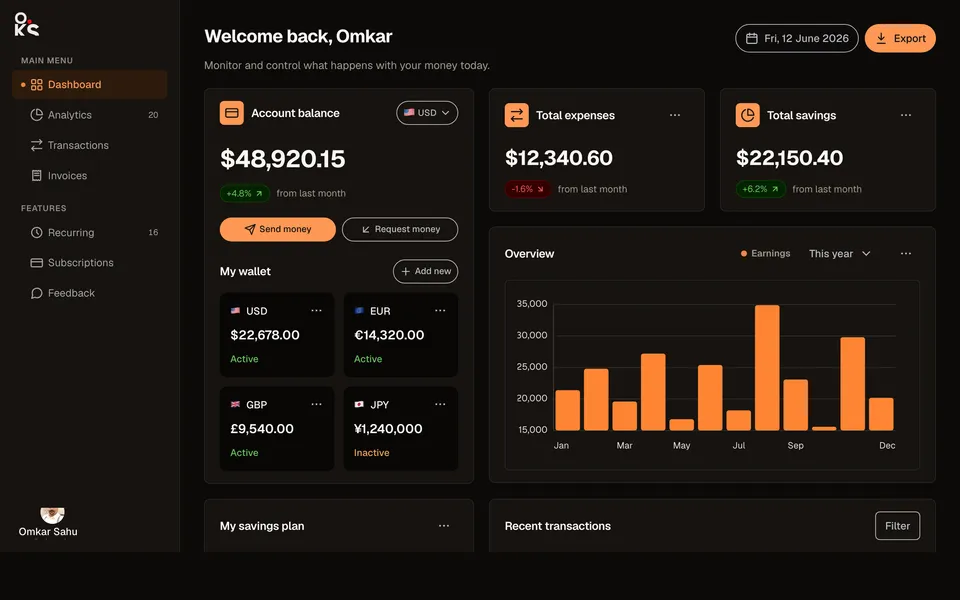
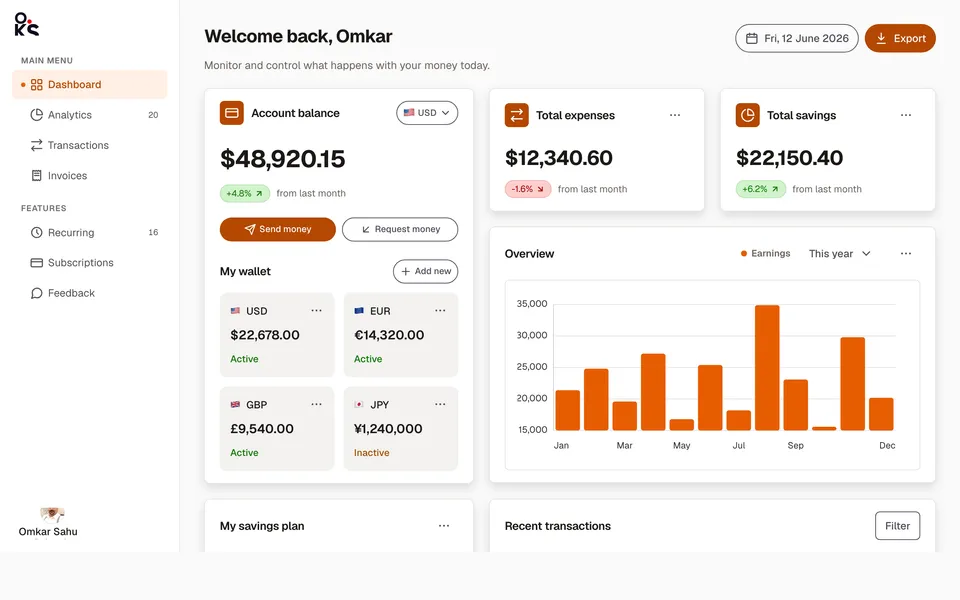
A full fintech app screen — collapsible sidebar, header search, wallet cards, an earnings chart, savings goals, and a transactions table.
Data table viewApp screens
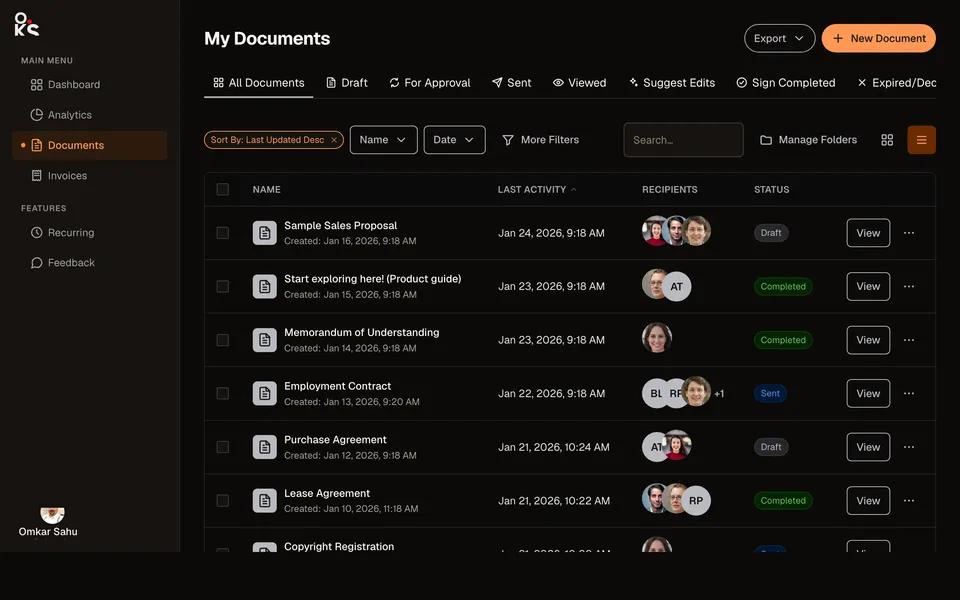
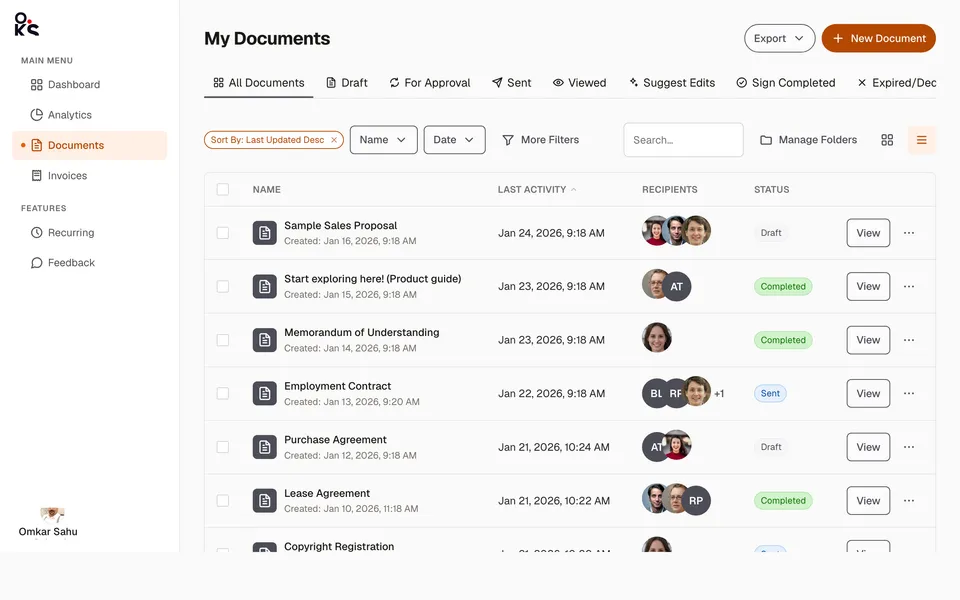
A full documents list screen — status Tabs, a filter toolbar, and a sortable, selectable Table with real recipient avatars.
Kanban boardApp screens
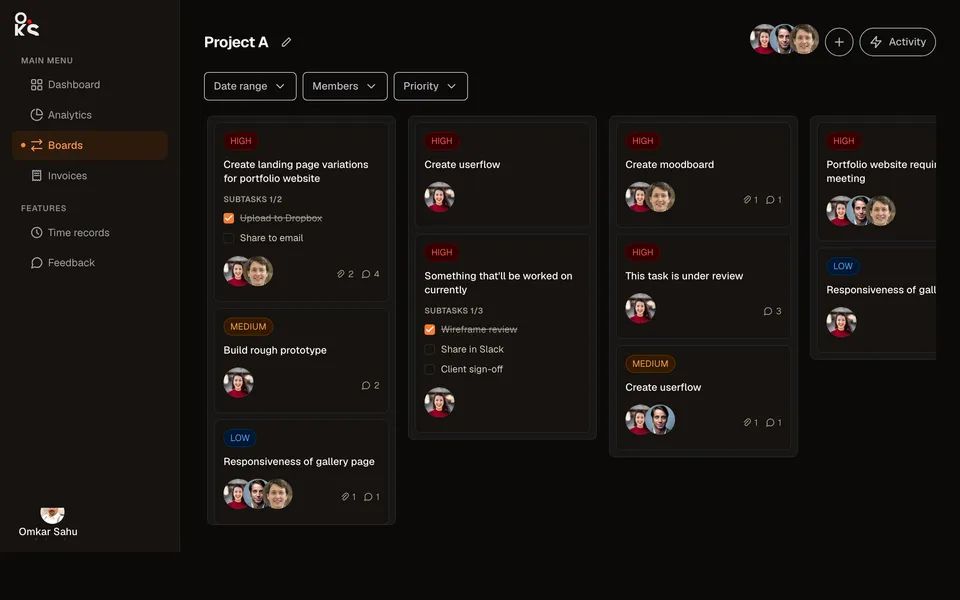
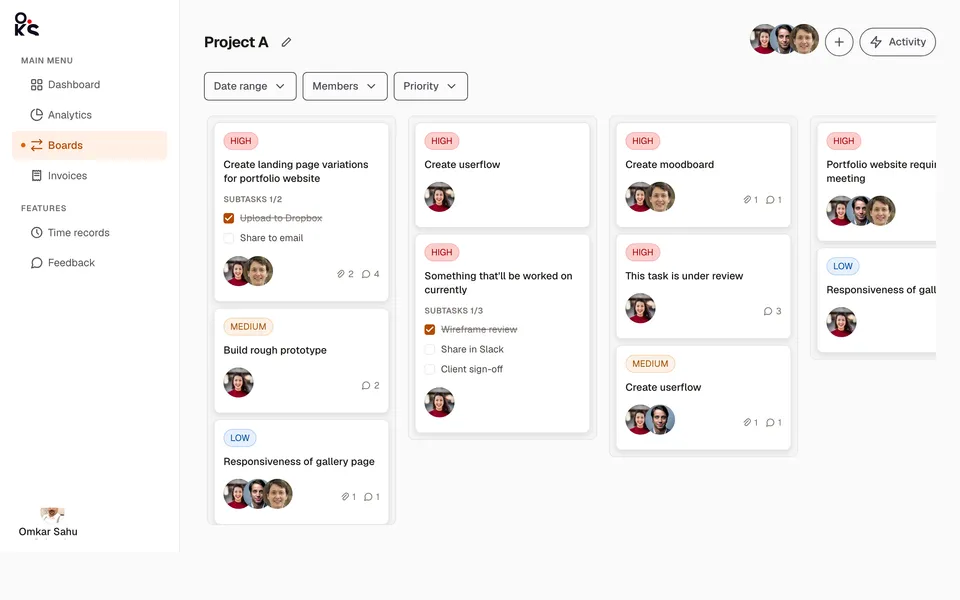
A full project board — sidebar/header shell, filters, priority cards with subtask checklists, and drag-and-drop with WIP limits.